<?xml version="1.0" encoding="utf-8"?><?xml-stylesheet type="text/xsl" href="atom.xsl"?>
<feed xmlns="http://www.w3.org/2005/Atom">
    <id>https://dotmarc.app/releases-updates/</id>
    <title>dotMARC Blog</title>
    <updated>2026-10-13T16:14:30.760Z</updated>
    <generator>https://github.com/jpmonette/feed</generator>
    <link rel="alternate" href="https://dotmarc.app/releases-updates/"/>
    <subtitle>dotMARC Blog</subtitle>
    <icon>https://dotmarc.app/img/favicon.svg</icon>
    <entry>
        <title type="html"><![CDATA[dotMARC v0.9.3: NinjaOne tickets]]></title>
        <id>https://dotmarc.app/releases-updates/v0-9-3/</id>
        <link href="https://dotmarc.app/releases-updates/v0-9-3/"/>
        <updated>2026-10-13T16:14:30.760Z</updated>
        <summary type="html"><![CDATA[dotMARC now raises and resolves NinjaOne tickets for alerts, keeps its NinjaOne sign-in alive, and tells you if the connection is lost.]]></summary>
        <content type="html"><![CDATA[<p>dotMARC now works with NinjaOne ticketing, alongside HaloPSA, ConnectWise and Autotask. An alert raises a NinjaOne ticket,
the ticket is resolved when the alert clears, and a ticket a tech resolves in NinjaOne resolves its alert.</p>
<!-- -->
<h2 class="anchor anchorTargetStickyNavbar_Vzrq" id="ninjaone-tickets">NinjaOne tickets<a href="https://dotmarc.app/releases-updates/v0-9-3/#ninjaone-tickets" class="hash-link" aria-label="Direct link to NinjaOne tickets" title="Direct link to NinjaOne tickets" translate="no">​</a></h2>
<p>NinjaOne only lets a signed-in person raise tickets, so dotMARC connects as a NinjaOne user. On <strong>Manage &gt; PSA
settings</strong>, the new <strong>NinjaOne</strong> tab takes your instance and a client app's ID and secret, then <strong>Connect to NinjaOne</strong>
signs you in at NinjaOne and brings you back. The tab shows who connected and when the sign-in was last refreshed.</p>
<p>Choose the ticket form, the status new tickets start in, and their type, priority and severity, then link Groups to
NinjaOne organisations as you would companies in the other PSAs. Domain imports take a <code>ninjaone organisation</code> column.</p>
<p>When an alert clears, dotMARC adds a private comment and sets the ticket to <strong>Resolved</strong>. NinjaOne doesn't let other apps
close tickets directly, so its own rules close it in time. A ticket a tech resolves or closes, or moves to a custom
status under either, resolves its alert.</p>
<p>See <a class="" href="https://dotmarc.app/docs/psa/ninjaone/">NinjaOne</a> for setting up the client app.</p>
<h2 class="anchor anchorTargetStickyNavbar_Vzrq" id="keeping-the-connection-alive">Keeping the connection alive<a href="https://dotmarc.app/releases-updates/v0-9-3/#keeping-the-connection-alive" class="hash-link" aria-label="Direct link to Keeping the connection alive" title="Direct link to Keeping the connection alive" translate="no">​</a></h2>
<p>NinjaOne's refresh tokens last an hour unless they're used, so dotMARC uses its sign-in every 20 minutes, even when no
alerts are firing. If dotMARC is stopped for more than an hour, NinjaOne forgets the sign-in: dotMARC raises a new <strong>PSA
connection lost</strong> alert and stops raising NinjaOne tickets until someone reconnects. To survive longer gaps, ask NinjaOne
support for sliding refresh tokens, as the docs explain.</p>
<h2 class="anchor anchorTargetStickyNavbar_Vzrq" id="smaller-changes">Smaller changes<a href="https://dotmarc.app/releases-updates/v0-9-3/#smaller-changes" class="hash-link" aria-label="Direct link to Smaller changes" title="Direct link to Smaller changes" translate="no">​</a></h2>
<ul>
<li class="">PSAs are now listed HaloPSA, NinjaOne, ConnectWise, Autotask everywhere: the settings tabs, the Groups and Domains
pages, and domain import.</li>
<li class="">The <a class="" href="https://dotmarc.app/api/dotmarc-api/">API reference</a> sets each parameter's name apart from its details, so long parameter lists are
easier to scan.</li>
</ul>]]></content>
        <author>
            <name>Mikey O'Toole</name>
            <uri>https://homotechsual.dev</uri>
        </author>
        <category label="Release" term="Release"/>
    </entry>
    <entry>
        <title type="html"><![CDATA[dotMARC v0.9.2: a much bigger API, light and dark brand colours, and reports that wouldn't import]]></title>
        <id>https://dotmarc.app/releases-updates/v0-9-2/</id>
        <link href="https://dotmarc.app/releases-updates/v0-9-2/"/>
        <updated>2026-10-12T21:24:49.172Z</updated>
        <summary type="html"><![CDATA[The API gains granular filters, an audit log, sending sources, individual DMARC and TLS reports, the dashboard summary, client reports and parse failures. Branding gets light and dark colours, backgrounds and contrast ratings, and more DMARC reports import.]]></summary>
        <content type="html"><![CDATA[<p>The API now reaches almost everything the app shows, with filters fine enough that a script fetches only what it
needs. Branding gets separate light and dark colours with contrast ratings, and reports from more senders import.</p>
<!-- -->
<h2 class="anchor anchorTargetStickyNavbar_Vzrq" id="a-much-bigger-api">A much bigger API<a href="https://dotmarc.app/releases-updates/v0-9-2/#a-much-bigger-api" class="hash-link" aria-label="Direct link to A much bigger API" title="Direct link to A much bigger API" translate="no">​</a></h2>
<h3 class="anchor anchorTargetStickyNavbar_Vzrq" id="filters-on-every-list">Filters on every list<a href="https://dotmarc.app/releases-updates/v0-9-2/#filters-on-every-list" class="hash-link" aria-label="Direct link to Filters on every list" title="Direct link to Filters on every list" translate="no">​</a></h3>
<p>Every list endpoint takes filters, with the same rules everywhere: give several values with commas or by repeating the
filter, in any letter case, and dates as a day or a time with its zone. A value dotMARC doesn't recognise is a 400 that
names the filter and lists what it accepts. See <a class="" href="https://dotmarc.app/docs/api/#filtering">Filtering</a>.</p>
<ul>
<li class=""><strong>Alerts:</strong> type, severity, domain, group, tag, whether the API can acknowledge it, whether it has an open PSA
ticket, and when it was raised or resolved.</li>
<li class=""><strong>Domains:</strong> name, groups and tags, the result of every DNS check, the same plain-language status the client portal
shows, DMARC policy, DNS provider, when reports last arrived, and pass rate.</li>
<li class=""><strong>Groups and tags:</strong> search by name.</li>
</ul>
<h3 class="anchor anchorTargetStickyNavbar_Vzrq" id="new-endpoints">New endpoints<a href="https://dotmarc.app/releases-updates/v0-9-2/#new-endpoints" class="hash-link" aria-label="Direct link to New endpoints" title="Direct link to New endpoints" translate="no">​</a></h3>
<ul>
<li class=""><strong>The audit log:</strong> who did what, filtered by action, actor, target, domain, date or text. A key limited to certain
groups sees only the entries about its own domains and groups.</li>
<li class=""><strong>Sending sources:</strong> every IP that sent as a domain over any range of up to a year, with its pass rate and, once
dotMARC has looked it up, who owns the network.</li>
<li class=""><strong>DMARC and TLS reports:</strong> each report with its records, and the original file exactly as the receiver sent it.</li>
<li class=""><strong>The dashboard's headline figures</strong>, over the domains a key can see.</li>
<li class=""><strong>Client reports:</strong> each group's schedule and delivery history, a report as a PDF for any period, and sending a
report now, recorded and audited as from the Reports dialog.</li>
<li class=""><strong>Parse failures:</strong> report emails dotMARC couldn't read, and why.</li>
<li class=""><strong>PSA tickets</strong> on every alert.</li>
</ul>
<p>The report summary takes any range of up to a year with <code>from</code> and <code>to</code>, and how many sending IPs to return with <code>top</code>,
and is now worked out in the database. Every endpoint, filter and error is in the <a class="" href="https://dotmarc.app/api/dotmarc-api/">API reference</a>,
whose code examples now start with PowerShell, C# and curl.</p>
<h2 class="anchor anchorTargetStickyNavbar_Vzrq" id="light-and-dark-brand-colours">Light and dark brand colours<a href="https://dotmarc.app/releases-updates/v0-9-2/#light-and-dark-brand-colours" class="hash-link" aria-label="Direct link to Light and dark brand colours" title="Direct link to Light and dark brand colours" translate="no">​</a></h2>
<p><strong>Manage &gt; Branding</strong> now sets a primary and secondary colour for light mode and for dark mode. Dark colours start
automatic, worked out from the light ones, until you pick your own. <strong>Advanced: backgrounds</strong> sets the page and card
colours for each mode. A Group can set its own light and dark colours too.</p>
<p>Every colour shows a swatch and its WCAG contrast rating (AAA, AA, AA for large text only, or below AA) against the
background it sits on. You can still use a colour that falls short, since a brand's official colours sometimes do.</p>
<p>The secondary colour now does more: headings, the pass rate line, footer links and neutral statuses in the portal, and
section headings and table headers in client reports. See <a class="" href="https://dotmarc.app/docs/client-portal/#branding">Branding</a>.</p>
<h2 class="anchor anchorTargetStickyNavbar_Vzrq" id="reports-that-wouldnt-import">Reports that wouldn't import<a href="https://dotmarc.app/releases-updates/v0-9-2/#reports-that-wouldnt-import" class="hash-link" aria-label="Direct link to Reports that wouldn't import" title="Direct link to Reports that wouldn't import" translate="no">​</a></h2>
<ul>
<li class=""><strong>DMARCbis reports.</strong> Reports that name the software that generated them, or include the new <code>psd</code> tag, failed with
"failed schema validation". They now import, as do reports with DMARCbis's <code>pass</code> disposition.</li>
<li class=""><strong>Reports in an unusual order.</strong> Some senders, such as Trellix, put a report's sections in a different order from the
standard. A report that has everything dotMARC uses now imports, and the log says where it strayed.</li>
<li class="">If a report still can't be read, the log and its parse failure now say exactly why.</li>
</ul>
<h2 class="anchor anchorTargetStickyNavbar_Vzrq" id="smaller-changes">Smaller changes<a href="https://dotmarc.app/releases-updates/v0-9-2/#smaller-changes" class="hash-link" aria-label="Direct link to Smaller changes" title="Direct link to Smaller changes" translate="no">​</a></h2>
<ul>
<li class=""><strong>DNS push setup scripts.</strong> A script creates the Azure DNS app registration for you, and another prepares a Google
Cloud project, with each step shown in the <a class="" href="https://dotmarc.app/docs/dns-provider-push/">DNS push docs</a>.</li>
<li class="">An unexpected error in the API now comes back in the API's own error format, not as a web page.</li>
</ul>]]></content>
        <author>
            <name>Mikey O'Toole</name>
            <uri>https://homotechsual.dev</uri>
        </author>
        <category label="Release" term="Release"/>
    </entry>
    <entry>
        <title type="html"><![CDATA[dotMARC v0.9.1: DMARCbis reports, report email fixes, and a friendlier API]]></title>
        <id>https://dotmarc.app/releases-updates/v0-9-1/</id>
        <link href="https://dotmarc.app/releases-updates/v0-9-1/"/>
        <updated>2026-10-09T18:38:52.058Z</updated>
        <summary type="html"><![CDATA[Reports in the new DMARCbis format import again, report email recovers from permission changes, the API finds domains by name and documents every error, and DNS push setup scripts.]]></summary>
        <content type="html"><![CDATA[<p>Fixes and polish from the first days of <a class="" href="https://dotmarc.app/releases-updates/v0-9-0/"><code>v0.9.0</code></a> in use, led by DMARC reports that
stopped importing.</p>
<!-- -->
<h2 class="anchor anchorTargetStickyNavbar_Vzrq" id="dmarc-reports-in-the-dmarcbis-format">DMARC reports in the DMARCbis format<a href="https://dotmarc.app/releases-updates/v0-9-1/#dmarc-reports-in-the-dmarcbis-format" class="hash-link" aria-label="Direct link to DMARC reports in the DMARCbis format" title="Direct link to DMARC reports in the DMARCbis format" translate="no">​</a></h2>
<p>Some reporters have started adding parts of DMARCbis, the updated DMARC standard, to their aggregate reports. Reports
that named the software that generated them, or included the new <code>psd</code> tag, failed with "DMARC aggregate report failed
schema validation" and were retried on every poll. They now import, as do reports whose disposition is DMARCbis's
<code>pass</code>.</p>
<p>Reports left unread by the failure are picked up again on the next poll after you update. If a report still can't be
read, the log and its parse failure now name the element at fault.</p>
<h2 class="anchor anchorTargetStickyNavbar_Vzrq" id="client-report-email">Client report email<a href="https://dotmarc.app/releases-updates/v0-9-1/#client-report-email" class="hash-link" aria-label="Direct link to Client report email" title="Direct link to Client report email" translate="no">​</a></h2>
<ul>
<li class=""><strong>New permissions take effect straight away.</strong> dotMARC fetches a fresh Microsoft Graph token when you save
<strong>Manage &gt; Email &amp; reports</strong>, and retries a refused send once with a new token, so adding a permission no longer
needs a restart.</li>
<li class=""><strong>Clearer refusals.</strong> When Exchange's application access policy blocks a send, the error says so. The
<a class="" href="https://dotmarc.app/docs/client-reports/">Client reports</a> page shows how to check the policy, and that changes to it can take a while
to apply.</li>
</ul>
<h2 class="anchor anchorTargetStickyNavbar_Vzrq" id="a-friendlier-api">A friendlier API<a href="https://dotmarc.app/releases-updates/v0-9-1/#a-friendlier-api" class="hash-link" aria-label="Direct link to A friendlier API" title="Direct link to A friendlier API" translate="no">​</a></h2>
<ul>
<li class=""><strong>Find a domain by name.</strong> Every <code>/domains/{domain}</code> route takes the domain's name, such as <code>contoso.example</code>, as
well as its id, so a script that knows the name needs one request, not two.</li>
<li class=""><strong>Every error is documented.</strong> Each operation now lists the errors it can return (401, 403, 404, 409, 429 and 500)
and what each means. An unexpected error comes back as problem+json, like every other API error, instead of the
web page it returned before.</li>
<li class=""><strong>One click to the reference.</strong> <a class="" href="https://dotmarc.app/docs/api/">Using the API</a> and the API keys tab on <strong>Access</strong> link straight to the
API reference.</li>
<li class="">Examples use the reserved <code>.example</code> domains.</li>
</ul>
<h2 class="anchor anchorTargetStickyNavbar_Vzrq" id="dns-push-setup-scripts">DNS push setup scripts<a href="https://dotmarc.app/releases-updates/v0-9-1/#dns-push-setup-scripts" class="hash-link" aria-label="Direct link to DNS push setup scripts" title="Direct link to DNS push setup scripts" translate="no">​</a></h2>
<p>Setting up <a class="" href="https://dotmarc.app/docs/dns-provider-push/">DNS push</a> for Azure DNS is now one command: a script creates the Entra app with
the right redirect URI and permission, and prints the client ID and secret to enter in dotMARC. For Google Cloud DNS,
a script turns on the APIs and gives you a link for each remaining step in the console. The docs show each script.</p>
<h2 class="anchor anchorTargetStickyNavbar_Vzrq" id="smaller-changes">Smaller changes<a href="https://dotmarc.app/releases-updates/v0-9-1/#smaller-changes" class="hash-link" aria-label="Direct link to Smaller changes" title="Direct link to Smaller changes" translate="no">​</a></h2>
<ul>
<li class="">HaloPSA, ConnectWise and Autotask settings remember the names of your chosen ticket types, priorities and statuses
as soon as the options load, so they no longer show as numbers after a reload.</li>
<li class="">Help icons sit centred on their fields, and the <strong>Send test</strong> buttons are as tall as the inputs beside them.</li>
<li class="">A new <a class="" href="https://dotmarc.app/docs/ai-use/">AI use</a> page explains how AI tools help build dotMARC, and that a human developer reviews every
change before release.</li>
</ul>]]></content>
        <author>
            <name>Mikey O'Toole</name>
            <uri>https://homotechsual.dev</uri>
        </author>
        <category label="Release" term="Release"/>
    </entry>
    <entry>
        <title type="html"><![CDATA[dotMARC v0.9.0: ConnectWise and Autotask, a branded client portal, scheduled client reports, and Slack]]></title>
        <id>https://dotmarc.app/releases-updates/v0-9-0/</id>
        <link href="https://dotmarc.app/releases-updates/v0-9-0/"/>
        <updated>2026-10-09T14:02:35.386Z</updated>
        <summary type="html"><![CDATA[Alert tickets in ConnectWise and Autotask as well as HaloPSA, a branded read-only portal for your clients, branded PDF reports emailed on a schedule, and alerts in Slack.]]></summary>
        <content type="html"><![CDATA[<p>The biggest release since <a class="" href="https://dotmarc.app/releases-updates/v0-8-2/"><code>v0.8.2</code></a>: dotMARC now works with the PSA you use, gives your
clients a branded view of their own domains, and sends them a regular report.</p>
<!-- -->
<h2 class="anchor anchorTargetStickyNavbar_Vzrq" id="connectwise-and-autotask-alongside-halopsa">ConnectWise and Autotask, alongside HaloPSA<a href="https://dotmarc.app/releases-updates/v0-9-0/#connectwise-and-autotask-alongside-halopsa" class="hash-link" aria-label="Direct link to ConnectWise and Autotask, alongside HaloPSA" title="Direct link to ConnectWise and Autotask, alongside HaloPSA" translate="no">​</a></h2>
<p>Alert tickets are no longer HaloPSA only. dotMARC raises and closes tickets in
<a class="" href="https://dotmarc.app/docs/psa/connectwise/">ConnectWise PSA</a> and <a class="" href="https://dotmarc.app/docs/psa/autotask/">Autotask</a> too, and you can connect more than one PSA
at once.</p>
<ul>
<li class=""><strong>Manage &gt; PSA settings</strong> has a tab for each PSA, with a <strong>Test the integration</strong> button that creates, checks and
closes a real ticket.</li>
<li class="">Each Group (and, where needed, each domain) links to a company in each PSA. Manage groups suggests matches by name,
and a domain import can set the company per PSA.</li>
<li class="">dotMARC checks its open tickets regularly, so closing a ticket in any PSA resolves its alert. HaloPSA's webhook
still works and stays the fastest route.</li>
<li class="">Each alert shows the tickets raised for it in each PSA.</li>
</ul>
<p>See <a class="" href="https://dotmarc.app/docs/psa-integration/">PSA integration</a> for how several PSAs work together.</p>
<h2 class="anchor anchorTargetStickyNavbar_Vzrq" id="a-branded-client-portal">A branded client portal<a href="https://dotmarc.app/releases-updates/v0-9-0/#a-branded-client-portal" class="hash-link" aria-label="Direct link to A branded client portal" title="Direct link to A branded client portal" translate="no">​</a></h2>
<p>Give a client contact a simple, read-only view of their own domains instead of your dashboard. Turn on <strong>Client
portal</strong> for their access grant (it must be limited to their Groups), and when they sign in at your usual dotMARC
address they see:</p>
<ul>
<li class=""><strong>Your domains:</strong> each domain's status in plain words (Protected, Monitoring only, Needs attention, No reports yet),
its pass rate and trend, and open alerts.</li>
<li class=""><strong>A page per domain:</strong> what its policy does, its health checks, who sends as it, and its alerts.</li>
</ul>
<p><strong>Manage &gt; Branding</strong> sets your product name, colours, logos and support details, with a contrast warning and a live
preview in light and dark. On <strong>Manage groups</strong>, a Group can override the name, logos and colours with the client's
own, and <strong>Preview as client</strong> shows exactly what they'll see. Portal users can't reach anything else in dotMARC, or
the API. See <a class="" href="https://dotmarc.app/docs/client-portal/">Client portal</a>.</p>
<h2 class="anchor anchorTargetStickyNavbar_Vzrq" id="scheduled-client-reports">Scheduled client reports<a href="https://dotmarc.app/releases-updates/v0-9-0/#scheduled-client-reports" class="hash-link" aria-label="Direct link to Scheduled client reports" title="Direct link to Scheduled client reports" translate="no">​</a></h2>
<p>dotMARC can now send each client a branded PDF report weekly, monthly or quarterly, by email:</p>
<ul>
<li class="">A cover with their status in one line, a summary of every domain with the change since last time, a pass rate
trend, each domain's policy, health, top senders and what receivers did, and a short list of what to do next.</li>
<li class="">Set up email on <strong>Manage &gt; Email &amp; reports</strong>, through Microsoft Graph or any SMTP server, along with the time zone,
send hour and number format reports use.</li>
<li class="">Each Group's <strong>Reports</strong> button on Manage groups sets its schedule and recipients, and can send or download a report
for any past period, such as a quarter for a business review.</li>
<li class="">A report that can't be sent is retried for a day, then raises a <strong>Client report failed</strong> alert.</li>
</ul>
<p>See <a class="" href="https://dotmarc.app/docs/client-reports/">Client reports</a>.</p>
<h2 class="anchor anchorTargetStickyNavbar_Vzrq" id="alerts-in-slack">Alerts in Slack<a href="https://dotmarc.app/releases-updates/v0-9-0/#alerts-in-slack" class="hash-link" aria-label="Direct link to Alerts in Slack" title="Direct link to Alerts in Slack" translate="no">​</a></h2>
<p>Alerts can go to a Slack channel through an incoming webhook, alongside Teams and the generic webhook. Each channel on
<strong>Alert settings</strong> now has its own switch and <strong>Send test</strong> button.</p>
<h2 class="anchor anchorTargetStickyNavbar_Vzrq" id="upgrading">Upgrading<a href="https://dotmarc.app/releases-updates/v0-9-0/#upgrading" class="hash-link" aria-label="Direct link to Upgrading" title="Direct link to Upgrading" translate="no">​</a></h2>
<p>Database migrations run automatically when the new version starts.</p>
<ul>
<li class=""><strong>HaloPSA moves to PSA settings.</strong> Your HaloPSA connection, defaults and client links carry over to
<strong>Manage &gt; PSA settings</strong>. Nothing to redo.</li>
<li class=""><strong>Client reports through Microsoft Graph</strong> need the <code>Mail.Send</code> application permission on dotMARC's app
registration. A report too big for one Graph request (over about 3 MB, so only with a very large logo) also needs
<code>Mail.ReadWrite</code> in place of <code>Mail.Read</code>. With SMTP, neither is needed. Reports stay off until you set up email.</li>
<li class=""><strong>Autotask</strong> needs an API tracking identifier from your own Autotask setup until dotMARC has its own.</li>
<li class=""><strong>A new permission, ReportsManage,</strong> covers email settings and client reports. The Admin role gets it automatically;
add it to any custom role that should manage reports.</li>
</ul>
<h2 class="anchor anchorTargetStickyNavbar_Vzrq" id="everything-else">Everything else<a href="https://dotmarc.app/releases-updates/v0-9-0/#everything-else" class="hash-link" aria-label="Direct link to Everything else" title="Direct link to Everything else" translate="no">​</a></h2>
<p>As always, see the <a href="https://github.com/homotechsual/dotMARC/commits/v0.9.0" target="_blank" rel="noopener noreferrer" class="">full changelog</a> for everything that
shipped between these two tags.</p>]]></content>
        <author>
            <name>Mikey O'Toole</name>
            <uri>https://homotechsual.dev</uri>
        </author>
        <category label="Release" term="Release"/>
    </entry>
    <entry>
        <title type="html"><![CDATA[dotMARC v0.8.2: MTA-STS MX hosts from DNS again, a calmer certificate wait, and help beside every setting]]></title>
        <id>https://dotmarc.app/releases-updates/v0-8-2/</id>
        <link href="https://dotmarc.app/releases-updates/v0-8-2/"/>
        <updated>2026-10-06T09:40:38.809Z</updated>
        <summary type="html"><![CDATA[MTA-STS fills in a domain's MX hosts from DNS again and won't stay on without any, a certificate Azure is still issuing shows as Waiting for certificate instead of a failure, and the settings pages explain each field in place.]]></summary>
        <content type="html"><![CDATA[<p>A small release after <a class="" href="https://dotmarc.app/releases-updates/v0-8-1/"><code>v0.8.1</code></a>, from turning on MTA-STS hosting for real domains.</p>
<!-- -->
<h2 class="anchor anchorTargetStickyNavbar_Vzrq" id="mta-sts-mx-hosts-come-from-dns-again">MTA-STS MX hosts come from DNS again<a href="https://dotmarc.app/releases-updates/v0-8-2/#mta-sts-mx-hosts-come-from-dns-again" class="hash-link" aria-label="Direct link to MTA-STS MX hosts come from DNS again" title="Direct link to MTA-STS MX hosts come from DNS again" translate="no">​</a></h2>
<p>When the old Manage MTA-STS page became a tab on each domain, its button for looking up a domain's MX hosts didn't
come with it. So a domain switched on from <strong>Advanced</strong> could end up with no MX hosts, which means the policy dotMARC
served listed no mail servers at all, and senders that check MTA-STS could refuse to deliver.</p>
<ul>
<li class=""><strong>Filled in from DNS.</strong> When the MX hosts field is empty, it's filled in from the domain's MX records as soon as the
MTA-STS tab opens, ready for you to check and save. <strong>Look up from DNS</strong> is back beside the field to fetch them again.</li>
<li class=""><strong>Never on without MX hosts.</strong> dotMARC refuses to save MTA-STS as on with no MX hosts, and a bulk import skips such
a row with a note instead.</li>
<li class=""><strong>Easy to spot.</strong> A domain that's already on with no MX hosts says so on its MTA-STS tab, with the hosts filled in
from DNS and the <strong>Advanced</strong> section opened.</li>
</ul>
<p><strong>Check your domains after upgrading:</strong> open the MTA-STS tab of each domain with hosting on. Any that shows the
warning needs its filled-in MX hosts saved.</p>
<h2 class="anchor anchorTargetStickyNavbar_Vzrq" id="waiting-for-a-certificate-isnt-a-failure">Waiting for a certificate isn't a failure<a href="https://dotmarc.app/releases-updates/v0-8-2/#waiting-for-a-certificate-isnt-a-failure" class="hash-link" aria-label="Direct link to Waiting for a certificate isn't a failure" title="Direct link to Waiting for a certificate isn't a failure" translate="no">​</a></h2>
<p>On Azure, a new domain's TLS certificate can take a few minutes to issue. dotMARC used to show that wait as
<strong>Failed</strong> with Azure's raw error, even though it carried on and finished by itself. It now shows <strong>Waiting for
certificate</strong>, with a note that Azure is still issuing it and dotMARC retries automatically. A certificate Azure
can't issue still shows as <strong>Failed</strong>, with Azure's reason.</p>
<h2 class="anchor anchorTargetStickyNavbar_Vzrq" id="help-beside-every-setting">Help beside every setting<a href="https://dotmarc.app/releases-updates/v0-8-2/#help-beside-every-setting" class="hash-link" aria-label="Direct link to Help beside every setting" title="Direct link to Help beside every setting" translate="no">​</a></h2>
<p>The settings pages now have a small help icon beside each field, explaining what it does and what to put there:
alert settings and the HaloPSA connection, DNS push (including the exact callback URL each provider needs), audit
log retention, and MTA-STS. Hover over it, or tap or tab to it.</p>
<h2 class="anchor anchorTargetStickyNavbar_Vzrq" id="upgrading">Upgrading<a href="https://dotmarc.app/releases-updates/v0-8-2/#upgrading" class="hash-link" aria-label="Direct link to Upgrading" title="Direct link to Upgrading" translate="no">​</a></h2>
<p>There are no database migrations and no new settings. Redeploy, then check your MTA-STS domains as above.</p>
<h2 class="anchor anchorTargetStickyNavbar_Vzrq" id="everything-else">Everything else<a href="https://dotmarc.app/releases-updates/v0-8-2/#everything-else" class="hash-link" aria-label="Direct link to Everything else" title="Direct link to Everything else" translate="no">​</a></h2>
<p>As always, see the <a href="https://github.com/homotechsual/dotMARC/commits/v0.8.2" target="_blank" rel="noopener noreferrer" class="">full changelog</a> for everything that
shipped between these two tags.</p>]]></content>
        <author>
            <name>Mikey O'Toole</name>
            <uri>https://homotechsual.dev</uri>
        </author>
        <category label="Release" term="Release"/>
    </entry>
    <entry>
        <title type="html"><![CDATA[dotMARC v0.8.1: DKIM records filled in for you, and a tidier API description]]></title>
        <id>https://dotmarc.app/releases-updates/v0-8-1/</id>
        <link href="https://dotmarc.app/releases-updates/v0-8-1/"/>
        <updated>2026-10-06T09:00:00.000Z</updated>
        <summary type="html"><![CDATA[The DKIM dialog fills in records that are already published, reads Microsoft 365's DKIM output when you paste it, and lines its fields up properly. The API's OpenAPI document groups operations into sections and describes numbers as numbers.]]></summary>
        <content type="html"><![CDATA[<p>A small release after <a class="" href="https://dotmarc.app/releases-updates/v0-8-0/"><code>v0.8.0</code></a>, from setting up DKIM with the new push on real domains.</p>
<!-- -->
<h2 class="anchor anchorTargetStickyNavbar_Vzrq" id="dkim-records-filled-in-for-you">DKIM records filled in for you<a href="https://dotmarc.app/releases-updates/v0-8-1/#dkim-records-filled-in-for-you" class="hash-link" aria-label="Direct link to DKIM records filled in for you" title="Direct link to DKIM records filled in for you" translate="no">​</a></h2>
<p><strong>Configure selectors</strong> on a domain's DKIM check now does more of the typing:</p>
<ul>
<li class=""><strong>Records already in DNS are filled in.</strong> For any mail platform, a selector that's already published starts with
its current CNAME target or TXT value, and says so. Nothing you've typed or saved is replaced.</li>
<li class=""><strong>Paste from Microsoft 365.</strong> Microsoft 365 domains get a box for the output of <code>Get-DkimSigningConfig</code>, or the
Defender portal's <strong>Publish CNAMEs</strong> text. dotMARC reads both selectors' targets from it and fills them in.</li>
<li class=""><strong>The known part of a Microsoft 365 target.</strong> With nothing published yet, each selector starts with the part that
follows from the domain, such as <code>selector1-contoso-com._domainkey.</code>, and a note on what to add. The rest (your
tenant's name and a letter Microsoft assigns) can only come from Microsoft 365, and dotMARC won't save a target that
stops at <code>._domainkey</code>.</li>
</ul>
<p>The dialog's rows line up properly too: each selector's type and value sit side by side, with the selector named in
the value's label. See <a class="" href="https://dotmarc.app/docs/dns-provider-push/#dkim-records">DKIM records</a>.</p>
<h2 class="anchor anchorTargetStickyNavbar_Vzrq" id="a-tidier-api-description">A tidier API description<a href="https://dotmarc.app/releases-updates/v0-8-1/#a-tidier-api-description" class="hash-link" aria-label="Direct link to A tidier API description" title="Direct link to A tidier API description" translate="no">​</a></h2>
<p>The OpenAPI document at <code>/api/v1/openapi.json</code> now groups operations into <strong>Domains</strong>, <strong>Imports</strong>, <strong>Groups and tags</strong>
and <strong>Alerts</strong>, and describes whole numbers and decimals as numbers rather than as text matching a pattern. API tools
show cleaner types as a result. The <a class="" href="https://dotmarc.app/api/dotmarc-api/">API reference</a> on this site is built from the same document.</p>
<h2 class="anchor anchorTargetStickyNavbar_Vzrq" id="upgrading">Upgrading<a href="https://dotmarc.app/releases-updates/v0-8-1/#upgrading" class="hash-link" aria-label="Direct link to Upgrading" title="Direct link to Upgrading" translate="no">​</a></h2>
<p>There are no database migrations and no new settings. Redeploy and you're done.</p>
<h2 class="anchor anchorTargetStickyNavbar_Vzrq" id="everything-else">Everything else<a href="https://dotmarc.app/releases-updates/v0-8-1/#everything-else" class="hash-link" aria-label="Direct link to Everything else" title="Direct link to Everything else" translate="no">​</a></h2>
<p>As always, see the <a href="https://github.com/homotechsual/dotMARC/commits/v0.8.1" target="_blank" rel="noopener noreferrer" class="">full changelog</a> for everything that
shipped between these two tags.</p>]]></content>
        <author>
            <name>Mikey O'Toole</name>
            <uri>https://homotechsual.dev</uri>
        </author>
        <category label="Release" term="Release"/>
    </entry>
    <entry>
        <title type="html"><![CDATA[dotMARC v0.8.0: an audit log, bulk import, DNS health alerts, SPF and DKIM push, and an API]]></title>
        <id>https://dotmarc.app/releases-updates/v0-8-0/</id>
        <link href="https://dotmarc.app/releases-updates/v0-8-0/"/>
        <updated>2026-10-05T18:22:55.861Z</updated>
        <summary type="html"><![CDATA[Every change is now recorded in an audit log. Domains can be imported in bulk from a list, CSV or Excel file. dotMARC alerts when a domain's DNS breaks, its DMARC policy weakens or its nameservers change. SPF records can be edited and pushed, DKIM records stored and pushed, and there's a key-authenticated API for scripts and integrations.]]></summary>
        <content type="html"><![CDATA[<p>The biggest release since <a class="" href="https://dotmarc.app/releases-updates/v0-7-0/"><code>v0.7.0</code></a>. dotMARC now keeps a record of who changed what,
takes domains in bulk, warns you when a domain's DNS goes wrong rather than waiting for the reports to show it, can
fix SPF and DKIM for you, and can be driven from your own scripts and tools.</p>
<!-- -->
<h2 class="anchor anchorTargetStickyNavbar_Vzrq" id="an-audit-log">An audit log<a href="https://dotmarc.app/releases-updates/v0-8-0/#an-audit-log" class="hash-link" aria-label="Direct link to An audit log" title="Direct link to An audit log" translate="no">​</a></h2>
<p>The new <strong>Audit log</strong> page records every change made in dotMARC: domains, groups, tags, roles and access, settings
and ticket rules, DNS pushes, HaloPSA actions, sign-ins and page views. Each entry says who did it, when, and what
changed, field by field, with secrets recorded as changed but never stored. Filter by person, action, target or date,
and export what you see as CSV. Entries are kept for a period you choose and cleaned up daily.</p>
<p>Two new permissions control it: <strong>AuditView</strong> to read the log and <strong>AuditManage</strong> to set how long it's kept. Admin
has both. See <a class="" href="https://dotmarc.app/docs/audit-log/">the audit log docs</a>.</p>
<h2 class="anchor anchorTargetStickyNavbar_Vzrq" id="import-domains-in-bulk">Import domains in bulk<a href="https://dotmarc.app/releases-updates/v0-8-0/#import-domains-in-bulk" class="hash-link" aria-label="Direct link to Import domains in bulk" title="Direct link to Import domains in bulk" translate="no">​</a></h2>
<p><strong>Manage domains &gt; Import domains</strong> adds many domains at once from a pasted list, a CSV file or an Excel file, with
their groups, tags, Halo client, monitoring, DKIM selectors and MTA-STS settings. Nothing is saved until you've seen
a preview of every row: new domains, changes to existing ones (shown in red where something is removed), duplicates
and anything invalid, with suggestions for group and tag names that look mistyped. Existing domains can be skipped,
added to, or made to match the file. The whole import is saved at once or not at all. See
<a class="" href="https://dotmarc.app/docs/import-domains/">importing domains</a>.</p>
<h2 class="anchor anchorTargetStickyNavbar_Vzrq" id="dns-health-alerts">DNS health alerts<a href="https://dotmarc.app/releases-updates/v0-8-0/#dns-health-alerts" class="hash-link" aria-label="Direct link to DNS health alerts" title="Direct link to DNS health alerts" translate="no">​</a></h2>
<p>dotMARC already checks each domain's DMARC, SPF, DKIM, MX, TLS-RPT and MTA-STS records. It now alerts when they go
wrong, through your usual Teams, webhook and HaloPSA channels:</p>
<ul>
<li class=""><strong>A check breaks.</strong> A failing check is rechecked within minutes before it alerts, so a brief DNS blip doesn't open
a ticket. Each check can alert when it breaks (the default, which stays quiet for records that were never set up),
whenever it fails, or not at all.</li>
<li class=""><strong>The DMARC policy weakens.</strong> Moving from <code>reject</code> to <code>quarantine</code> or <code>none</code>, or lowering the percentage.</li>
<li class=""><strong>The nameservers change</strong>, often the first sign of a DNS migration. This one doesn't open a ticket by default.</li>
</ul>
<p>Alerts close themselves once the problem is fixed. Policy and nameserver changes can be deliberate, so those can be
acknowledged with a button, by closing their Halo ticket, or automatically after a number of days you choose. See
<a class="" href="https://dotmarc.app/docs/alerts/#dns-health-alerts">DNS health alerts</a>.</p>
<h2 class="anchor anchorTargetStickyNavbar_Vzrq" id="spf-and-dkim-push">SPF and DKIM push<a href="https://dotmarc.app/releases-updates/v0-8-0/#spf-and-dkim-push" class="hash-link" aria-label="Direct link to SPF and DKIM push" title="Direct link to SPF and DKIM push" translate="no">​</a></h2>
<p>The DNS push that already set up MTA-STS, DMARC and TLS-RPT records now covers SPF and DKIM too:</p>
<ul>
<li class=""><strong>An SPF editor</strong> on each domain shows the record term by term, counts its DNS lookups by following every include,
and warns when it needs more than the 10 lookups SPF allows. Add or remove senders (with a catalogue of common
services), merge duplicate records into one, and choose how the record ends. A new setting picks whether new
records end in <code>~all</code> or <code>-all</code>.</li>
<li class=""><strong>DKIM records</strong> for each selector can be stored in dotMARC, checked against what's published, and pushed.</li>
</ul>
<p>Pushes to Cloudflare, Azure DNS and Google Cloud DNS change only the value they mean to, keep every other TXT
record exactly as it was, and refuse rather than guess when the zone isn't what dotMARC expects. See
<a class="" href="https://dotmarc.app/docs/dns-provider-push/#editing-spf">editing SPF</a> and <a class="" href="https://dotmarc.app/docs/dns-provider-push/#dkim-records">DKIM records</a>.</p>
<h2 class="anchor anchorTargetStickyNavbar_Vzrq" id="an-api">An API<a href="https://dotmarc.app/releases-updates/v0-8-0/#an-api" class="hash-link" aria-label="Direct link to An API" title="Direct link to An API" translate="no">​</a></h2>
<p>dotMARC has a JSON API for scripted bulk work, client reporting and integrations it doesn't have built in. It covers
the common jobs: list domains and their DNS health, summarise a domain's DMARC reports, list groups, tags and alerts,
add or import domains, set a domain's groups, tags and monitoring, and acknowledge alerts.</p>
<ul>
<li class=""><strong>API keys</strong> are created on the Access page, which now has <strong>People</strong>, <strong>Roles</strong> and <strong>API keys</strong> tabs. A key gets a
role just as a person does, and a Viewer key can be limited to certain groups so it only ever sees those clients.
Keys can't manage access, last 30 to 365 days, and are announced two weeks before they expire.</li>
<li class=""><strong>Everything a key does is in the audit log</strong>, as that key and the person who created it.</li>
<li class=""><strong>The API is described in OpenAPI</strong> at <code>/api/v1/openapi.json</code> on your own dotMARC, which tools like Postman can
import directly.</li>
</ul>
<p>See <a class="" href="https://dotmarc.app/docs/api/">the API docs</a>.</p>
<h2 class="anchor anchorTargetStickyNavbar_Vzrq" id="fixes-along-the-way">Fixes along the way<a href="https://dotmarc.app/releases-updates/v0-8-0/#fixes-along-the-way" class="hash-link" aria-label="Direct link to Fixes along the way" title="Direct link to Fixes along the way" translate="no">​</a></h2>
<ul>
<li class="">Domain names must now be real hostnames everywhere they're entered.</li>
<li class="">A DNS push that fails partway through is recorded as such, rather than looking like it never ran.</li>
<li class="">A nameserver lookup that fails is treated as an error rather than as "no nameservers", and dotMARC never reports a
top-level domain's nameservers as a domain's own.</li>
</ul>
<h2 class="anchor anchorTargetStickyNavbar_Vzrq" id="upgrading">Upgrading<a href="https://dotmarc.app/releases-updates/v0-8-0/#upgrading" class="hash-link" aria-label="Direct link to Upgrading" title="Direct link to Upgrading" translate="no">​</a></h2>
<p>The database is migrated automatically on startup. There are no new required settings.</p>
<ul>
<li class=""><strong>Admin</strong> gets the new permissions automatically. Custom roles that should read the audit log need <strong>AuditView</strong>
added on the Access page's <strong>Roles</strong> tab.</li>
<li class=""><strong>DNS health alerts are on</strong>, in "when it breaks" mode for every check, as long as alerting is enabled. A check only
alerts after it has passed at least once, so records that were never set up stay quiet. Look over <strong>Alerts &gt;
Settings</strong> after upgrading if you'd rather start differently.</li>
<li class="">The API is available as soon as you create a key. Each key may make 120 requests a minute; set <code>Api__RequestsPerMinute</code>
to change that.</li>
</ul>
<h2 class="anchor anchorTargetStickyNavbar_Vzrq" id="everything-else">Everything else<a href="https://dotmarc.app/releases-updates/v0-8-0/#everything-else" class="hash-link" aria-label="Direct link to Everything else" title="Direct link to Everything else" translate="no">​</a></h2>
<p>As always, see the <a href="https://github.com/homotechsual/dotMARC/commits/v0.8.0" target="_blank" rel="noopener noreferrer" class="">full changelog</a> for everything that
shipped between these two tags.</p>]]></content>
        <author>
            <name>Mikey O'Toole</name>
            <uri>https://homotechsual.dev</uri>
        </author>
        <category label="Release" term="Release"/>
    </entry>
    <entry>
        <title type="html"><![CDATA[dotMARC v0.7.3: search the dropdowns that grow]]></title>
        <id>https://dotmarc.app/releases-updates/v0-7-3/</id>
        <link href="https://dotmarc.app/releases-updates/v0-7-3/"/>
        <updated>2026-09-28T18:25:33.104Z</updated>
        <summary type="html"><![CDATA[Halo client pickers, and the other dropdowns that grow with your data, can now be searched by typing, and Halo lists are alphabetical.]]></summary>
        <content type="html"><![CDATA[<p>A small release after <a class="" href="https://dotmarc.app/releases-updates/v0-7-2/"><code>v0.7.2</code></a>. Now that dotMARC loads every Halo client, the list
is long enough that scrolling through it gets old, so the dropdowns that grow with your data can now be searched.</p>
<!-- -->
<h2 class="anchor anchorTargetStickyNavbar_Vzrq" id="search-the-halo-client-list">Search the Halo client list<a href="https://dotmarc.app/releases-updates/v0-7-3/#search-the-halo-client-list" class="hash-link" aria-label="Direct link to Search the Halo client list" title="Direct link to Search the Halo client list" translate="no">​</a></h2>
<p>Every Halo client picker can now be searched: type part of a client's name and the list narrows as you go. That
covers the Halo Client picker on each group and each domain, the Halo client filter on <strong>Manage domains</strong>, and the
client you run the Halo integration test with. The agent picker under <strong>Assign new tickets to</strong> can be searched the
same way, with <strong>Don't assign</strong> kept at the top.</p>
<p>Halo clients, ticket types and statuses are now listed alphabetically too, instead of in whatever order Halo sent
them. Priorities keep Halo's order, since that runs from lowest to highest.</p>
<h2 class="anchor anchorTargetStickyNavbar_Vzrq" id="search-groups-and-tags-too">Search groups and tags too<a href="https://dotmarc.app/releases-updates/v0-7-3/#search-groups-and-tags-too" class="hash-link" aria-label="Direct link to Search groups and tags too" title="Direct link to Search groups and tags too" translate="no">​</a></h2>
<p>The same search is on the other dropdowns that grow with your data:</p>
<ul>
<li class=""><strong>Choosing a domain's groups and tags</strong> on Manage domains, and <strong>a person's groups</strong> when granting access. These
now open a search box above a checklist. Tick as many as you like, then click away or press Escape to save them
all at once. Groups the search is hiding stay ticked.</li>
<li class=""><strong>The Group and Tag filters</strong> on the Dashboard and Manage domains, and <strong>the Country filter</strong> on a domain's
Sources tab.</li>
</ul>
<p>Short, fixed lists, such as Yes or No, severities and delivery modes, stay as plain dropdowns.</p>
<h2 class="anchor anchorTargetStickyNavbar_Vzrq" id="upgrading">Upgrading<a href="https://dotmarc.app/releases-updates/v0-7-3/#upgrading" class="hash-link" aria-label="Direct link to Upgrading" title="Direct link to Upgrading" translate="no">​</a></h2>
<p>There are no database migrations and no new settings. Redeploy and you're done.</p>
<h2 class="anchor anchorTargetStickyNavbar_Vzrq" id="everything-else">Everything else<a href="https://dotmarc.app/releases-updates/v0-7-3/#everything-else" class="hash-link" aria-label="Direct link to Everything else" title="Direct link to Everything else" translate="no">​</a></h2>
<p>As always, see the <a href="https://github.com/homotechsual/dotMARC/commits/v0.7.3" target="_blank" rel="noopener noreferrer" class="">full changelog</a> for everything that
shipped between these two tags.</p>]]></content>
        <author>
            <name>Mikey O'Toole</name>
            <uri>https://homotechsual.dev</uri>
        </author>
        <category label="Release" term="Release"/>
    </entry>
    <entry>
        <title type="html"><![CDATA[dotMARC v0.7.2: every Halo client, groups from Halo, and filters on every table]]></title>
        <id>https://dotmarc.app/releases-updates/v0-7-2/</id>
        <link href="https://dotmarc.app/releases-updates/v0-7-2/"/>
        <updated>2026-09-28T14:06:07.417Z</updated>
        <summary type="html"><![CDATA[dotMARC now loads every Halo client instead of just the first page, can create a group for each Halo client that doesn't have one, and every table can be filtered and sorted.]]></summary>
        <content type="html"><![CDATA[<p>A small release after <a class="" href="https://dotmarc.app/releases-updates/v0-7-1/"><code>v0.7.1</code></a>, with one fix for anyone with a lot of Halo clients and a
couple of things that make day-to-day work quicker.</p>
<!-- -->
<h2 class="anchor anchorTargetStickyNavbar_Vzrq" id="every-halo-client-not-just-the-first-page">Every Halo client, not just the first page<a href="https://dotmarc.app/releases-updates/v0-7-2/#every-halo-client-not-just-the-first-page" class="hash-link" aria-label="Direct link to Every Halo client, not just the first page" title="Direct link to Every Halo client, not just the first page" translate="no">​</a></h2>
<p>dotMARC only ever asked Halo for one page of clients, so if you have more clients than fit on a page, the rest
were missing from <strong>Manage groups</strong> and the Halo client pickers, with no error to say so. It now asks page by page
until it has them all. Halo can quietly send fewer clients per page than dotMARC asks for, so dotMARC counts the
clients it has received against Halo's total rather than trusting the page size.</p>
<h2 class="anchor anchorTargetStickyNavbar_Vzrq" id="create-groups-from-your-halo-clients">Create groups from your Halo clients<a href="https://dotmarc.app/releases-updates/v0-7-2/#create-groups-from-your-halo-clients" class="hash-link" aria-label="Direct link to Create groups from your Halo clients" title="Direct link to Create groups from your Halo clients" translate="no">​</a></h2>
<p>When Halo is connected, <strong>Manage groups</strong> now lists the Halo clients that no group is linked to or named after.
<strong>Create group</strong> makes a group with the client's name and links it to that client in one step, and <strong>Create all</strong>
does the same for every client listed, after asking you to confirm. Only the groups are created, so add their
domains from <strong>Manage domains</strong> afterwards.</p>
<p>Suggested matches between a group and a Halo client are also looser: case, punctuation and endings such as
Limited, Ltd or LLC are ignored, and a group whose name starts a client's name is suggested that client. If Halo
can't be reached, Manage groups now says so instead of quietly showing no suggestions. See
<a class="" href="https://dotmarc.app/docs/psa-integration/#link-groups-to-companies">Create Groups from your Halo clients</a>.</p>
<h2 class="anchor anchorTargetStickyNavbar_Vzrq" id="filters-and-sorting-on-every-table">Filters and sorting on every table<a href="https://dotmarc.app/releases-updates/v0-7-2/#filters-and-sorting-on-every-table" class="hash-link" aria-label="Direct link to Filters and sorting on every table" title="Direct link to Filters and sorting on every table" translate="no">​</a></h2>
<p>The <strong>Filters</strong> button that the Dashboard and Manage domains tables have is now on every table: a domain's
Sources, TLS reports and Raw reports tabs, Alerts, Unparseable messages, Roles, Access grants, Groups, Tags and the
Halo clients without a group. It opens a row of filters under the headings, one per column, and the column
headings now sort.</p>
<p>The Sources tab is where this helps most. You can narrow it to new sources, a single SPF or DKIM result, a
disposition or a country, search by IP, reason or owner, or hide sources below a minimum volume.</p>
<h2 class="anchor anchorTargetStickyNavbar_Vzrq" id="smaller-things">Smaller things<a href="https://dotmarc.app/releases-updates/v0-7-2/#smaller-things" class="hash-link" aria-label="Direct link to Smaller things" title="Direct link to Smaller things" translate="no">​</a></h2>
<ul>
<li class=""><strong>The demo splits SPF and DKIM failures.</strong> It now includes senders that fail only SPF or only DKIM, so every
bucket of the rejected-mail reasons shows something.</li>
<li class=""><strong>The TLS and raw report tables show date ranges the same way</strong>, so a date search works on both.</li>
</ul>
<h2 class="anchor anchorTargetStickyNavbar_Vzrq" id="docs-and-website">Docs and website<a href="https://dotmarc.app/releases-updates/v0-7-2/#docs-and-website" class="hash-link" aria-label="Direct link to Docs and website" title="Direct link to Docs and website" translate="no">​</a></h2>
<ul>
<li class=""><strong>The docs are organised into categories</strong>, in the order you're likely to need them: get started, deploy,
monitor, alerts and integrations, administer, and about the project. There's also a new
<a class="" href="https://dotmarc.app/docs/updating/">Update or redeploy dotMARC</a> page. Existing links still work.</li>
<li class=""><strong>Fresh screenshots.</strong> The website's screenshots are now captured automatically from the demo, in both themes,
so they show the app as it is.</li>
</ul>
<h2 class="anchor anchorTargetStickyNavbar_Vzrq" id="upgrading">Upgrading<a href="https://dotmarc.app/releases-updates/v0-7-2/#upgrading" class="hash-link" aria-label="Direct link to Upgrading" title="Direct link to Upgrading" translate="no">​</a></h2>
<p>There are no database migrations and no new settings. Redeploy and you're done. If you use Halo, open <strong>Manage
groups</strong> afterwards to see any clients that were missing before.</p>
<h2 class="anchor anchorTargetStickyNavbar_Vzrq" id="everything-else">Everything else<a href="https://dotmarc.app/releases-updates/v0-7-2/#everything-else" class="hash-link" aria-label="Direct link to Everything else" title="Direct link to Everything else" translate="no">​</a></h2>
<p>As always, see the <a href="https://github.com/homotechsual/dotMARC/commits/v0.7.2" target="_blank" rel="noopener noreferrer" class="">full changelog</a> for everything that
shipped between these two tags.</p>]]></content>
        <author>
            <name>Mikey O'Toole</name>
            <uri>https://homotechsual.dev</uri>
        </author>
        <category label="Release" term="Release"/>
    </entry>
    <entry>
        <title type="html"><![CDATA[dotMARC v0.7.1: a tidier interface and a few fixes]]></title>
        <id>https://dotmarc.app/releases-updates/v0-7-1/</id>
        <link href="https://dotmarc.app/releases-updates/v0-7-1/"/>
        <updated>2026-09-25T13:27:00.000Z</updated>
        <summary type="html"><![CDATA[The first patch release. Buttons and icons line up properly, the Dashboard summary is easier to read, the rejected-mail reasons are a list, and a noisy query warning on Manage domains is gone.]]></summary>
        <content type="html"><![CDATA[<p>A small release after <a class="" href="https://dotmarc.app/releases-updates/v0-7-0/"><code>v0.7.0</code></a>, mostly about how things look and one warning that
shouldn't have been there.</p>
<!-- -->
<h2 class="anchor anchorTargetStickyNavbar_Vzrq" id="a-tidier-interface">A tidier interface<a href="https://dotmarc.app/releases-updates/v0-7-1/#a-tidier-interface" class="hash-link" aria-label="Direct link to A tidier interface" title="Direct link to A tidier interface" translate="no">​</a></h2>
<ul>
<li class=""><strong>Buttons beside inputs now match them.</strong> The Clear cached sign-in and Generate new secret buttons, and the
Add group, Add tag, Add domain and Add role buttons, are the same height as the field next to them and line
up with it. Those Add forms, and the Grant access form, now use the same outlined inputs as the rest of the
app.</li>
<li class=""><strong>Icons are centred on their text.</strong> Capital letters sit above the middle of a line, so icons on buttons
looked about a pixel low. They are now centred on the lettering.</li>
<li class=""><strong>Real actions look like buttons.</strong> Clear cached sign-in, Ticket rules, the DNS push buttons, Configure
selectors and the MTA-STS Save were plain text links. They are outlined buttons now.</li>
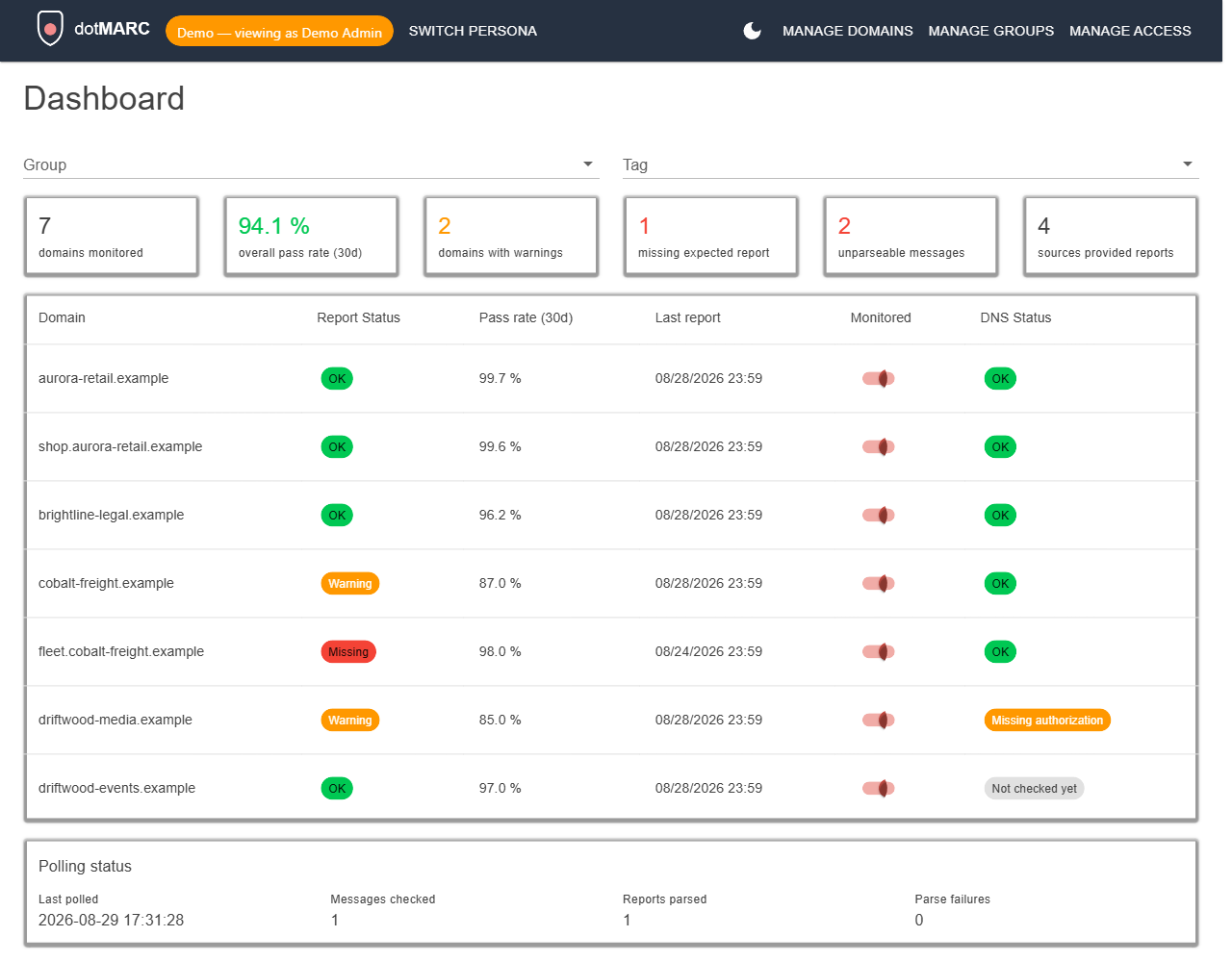
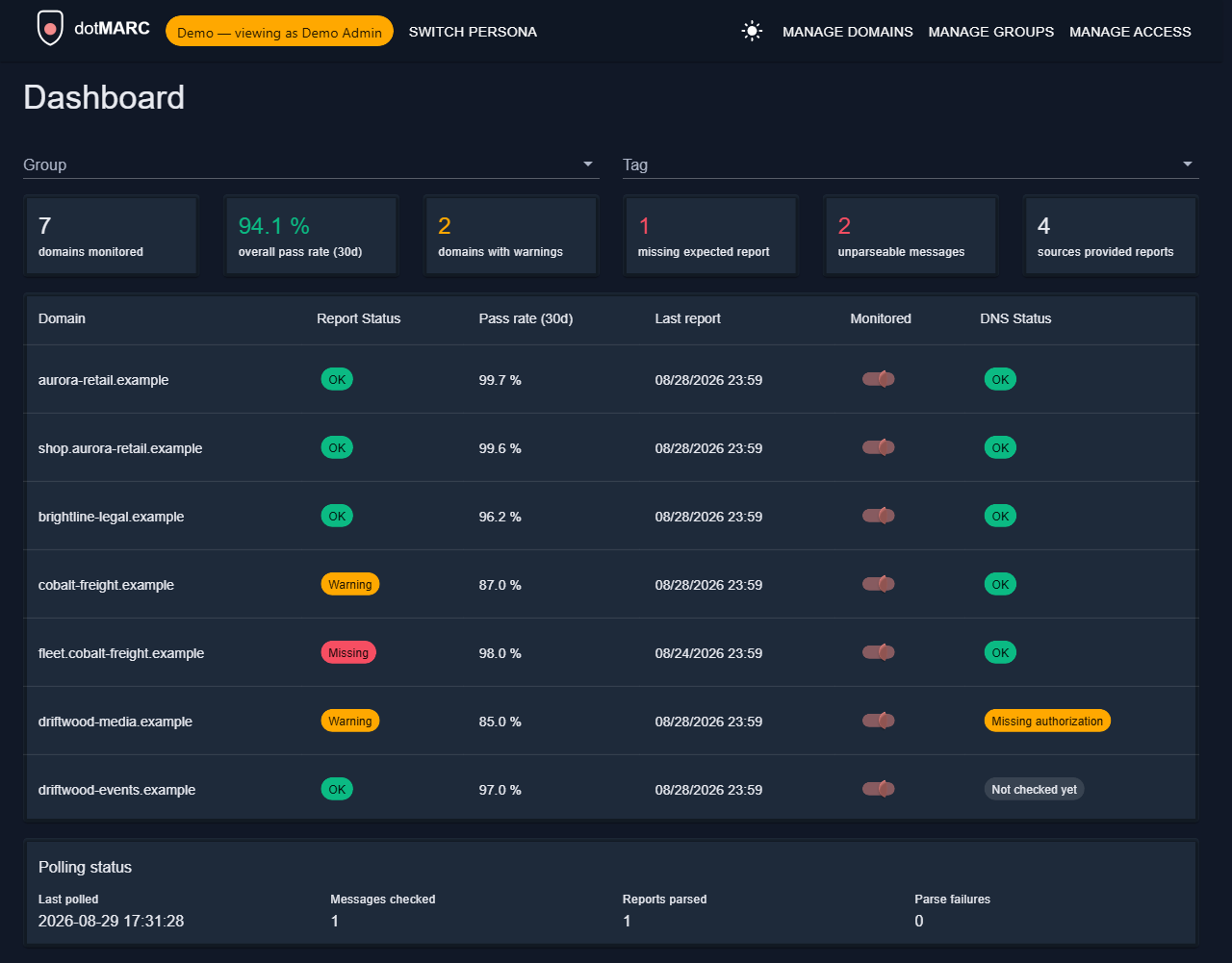
<li class=""><strong>Dashboard summary.</strong> The numbers are larger and centred above their captions.</li>
<li class=""><strong>Why rejects and quarantines happened</strong> is a bulleted list, with the count first and reasons that have no
messages dimmed, on both the Dashboard and each domain's page.</li>
<li class=""><strong>The filter button applies to the whole table.</strong> It sat inside the DNS Status heading, so it looked like it
only filtered that column group. It is now a labelled <strong>Filters</strong> button above the Dashboard and Manage
domains tables.</li>
</ul>
<h2 class="anchor anchorTargetStickyNavbar_Vzrq" id="fixes">Fixes<a href="https://dotmarc.app/releases-updates/v0-7-1/#fixes" class="hash-link" aria-label="Direct link to Fixes" title="Direct link to Fixes" translate="no">​</a></h2>
<ul>
<li class=""><strong>Manage domains no longer logs a warning every time it loads.</strong> The page loaded each domain's groups and
tags in one large query, which Entity Framework warns about. They are loaded separately now, and the warning
under <strong>Manage &gt; Server logs</strong> stops.</li>
<li class=""><strong>Ticket rules are sturdier.</strong> The badge count on Manage groups no longer risks ending your session if the
database hiccups as the dialog closes, the <strong>Which alerts create tickets</strong> panel follows the ticket sync
setting you have saved rather than the switch you have just flipped, and each switch is announced by screen
readers with its alert type.</li>
<li class=""><strong>A missing alert type entry can't stop monitoring.</strong> If a future alert type were added without being listed
for ticket rules, it is now logged as an error and the alert is still raised, instead of halting the whole
monitor cycle.</li>
</ul>
<h2 class="anchor anchorTargetStickyNavbar_Vzrq" id="releases-and-updates">Releases and Updates<a href="https://dotmarc.app/releases-updates/v0-7-1/#releases-and-updates" class="hash-link" aria-label="Direct link to Releases and Updates" title="Direct link to Releases and Updates" translate="no">​</a></h2>
<p>The blog is now called <strong>Releases and Updates</strong>, at <code>/releases-updates</code>. Every old <code>/blog</code> link, including
the RSS and Atom feeds, redirects to its new address, so existing links and subscriptions keep working.</p>
<h2 class="anchor anchorTargetStickyNavbar_Vzrq" id="docs-and-website">Docs and website<a href="https://dotmarc.app/releases-updates/v0-7-1/#docs-and-website" class="hash-link" aria-label="Direct link to Docs and website" title="Direct link to Docs and website" translate="no">​</a></h2>
<ul>
<li class=""><strong>Update or redeploy dotMARC.</strong> The <a class="" href="https://dotmarc.app/docs/deploy-with-docker/">Docker</a> and <a class="" href="https://dotmarc.app/docs/deploy-to-azure/">Azure</a>
guides now cover checking which image is running, updating to a release tag, forcing a new revision when you
use <code>:latest</code>, checking the app is ready, and rolling back.</li>
<li class=""><strong>The website follows the latest release.</strong> The homepage shows the latest release, and the example image
tag in the docs updates itself, so neither needs editing when a release ships.</li>
</ul>
<h2 class="anchor anchorTargetStickyNavbar_Vzrq" id="upgrading">Upgrading<a href="https://dotmarc.app/releases-updates/v0-7-1/#upgrading" class="hash-link" aria-label="Direct link to Upgrading" title="Direct link to Upgrading" translate="no">​</a></h2>
<p>There are no database migrations and no new settings. Redeploy and you're done.</p>
<h2 class="anchor anchorTargetStickyNavbar_Vzrq" id="everything-else">Everything else<a href="https://dotmarc.app/releases-updates/v0-7-1/#everything-else" class="hash-link" aria-label="Direct link to Everything else" title="Direct link to Everything else" translate="no">​</a></h2>
<p>As always, see the <a href="https://github.com/homotechsual/dotMARC/commits/v0.7.1" target="_blank" rel="noopener noreferrer" class="">full changelog</a> for everything
that shipped between these two tags.</p>]]></content>
        <author>
            <name>Mikey O'Toole</name>
            <uri>https://homotechsual.dev</uri>
        </author>
        <category label="Release" term="Release"/>
    </entry>
    <entry>
        <title type="html"><![CDATA[dotMARC v0.7.0: HaloPSA that works, no more dropped reports, and failure reasons explained]]></title>
        <id>https://dotmarc.app/releases-updates/v0-7-0/</id>
        <link href="https://dotmarc.app/releases-updates/v0-7-0/"/>
        <updated>2026-09-25T10:54:00.000Z</updated>
        <summary type="html"><![CDATA[HaloPSA sign-in and priorities are fixed, with a one-click test of the whole ticket lifecycle and control over which alerts create tickets, per client. DMARC reports with unusual values are now read, failure reasons are inferred when a receiver gives none, and there are server logs in the app and faster pages.]]></summary>
        <content type="html"><![CDATA[<p>Since <a class="" href="https://dotmarc.app/releases-updates/v0-6-0/"><code>v0.6.0</code></a>, this release has mostly been about trust: fixing things that were
quietly not working, and giving you ways to see for yourself that they do.</p>
<!-- -->
<h2 class="anchor anchorTargetStickyNavbar_Vzrq" id="halopsa-now-works-and-you-can-prove-it">HaloPSA now works, and you can prove it<a href="https://dotmarc.app/releases-updates/v0-7-0/#halopsa-now-works-and-you-can-prove-it" class="hash-link" aria-label="Direct link to HaloPSA now works, and you can prove it" title="Direct link to HaloPSA now works, and you can prove it" translate="no">​</a></h2>
<p>The HaloPSA integration could not actually sign in: dotMARC asked Halo for a scope that doesn't exist,
so every attempt was rejected. Once past that, the priority list failed to load too, because Halo
returns one row per priority per SLA rather than a plain list. Both are fixed, and errors now quote what
Halo actually answered instead of a vague "couldn't reach".</p>
<p>More usefully, <strong>Alert settings</strong> now has a <strong>Test the integration</strong> button. It creates a clearly marked
test ticket from your most recent alert's details, closes it using your closed status, then waits for Halo
to call the webhook back, showing each step as it goes. When something is wrong, the message says what to
check: a status that doesn't match your closed status, a body dotMARC couldn't read, or a webhook URL with
the wrong secret. A list of recent webhook calls shows what Halo has really sent, and the webhook URL now
copies with a click. The webhook reads the ticket and its status from whichever payload Halo is set to
send, and asks Halo for the status when the payload only names the ticket. When it can't find the ticket
at all, the list shows the field names Halo sent, never their values. See <a class="" href="https://dotmarc.app/docs/psa/halopsa/#test-the-whole-integration">HaloPSA</a> for the
walkthrough.</p>
<p>Halo can also be configured (and commonly is) to refuse to close a ticket that nobody is assigned to, so there is a new <strong>Assign new tickets
to</strong> setting. Pick an agent, or leave it on <strong>Don't assign</strong> if your Halo assigns tickets itself (round
robin, a rule or the ticket type's default).</p>
<p>What dotMARC can do in Halo is decided by the agent the API application signs in as, and Halo has no
scopes for that, so the PSA docs now list a tested set of role permissions for it and what each missing
one looks like. Halo may bake a role's permissions into the sign-in token dotMARC keeps for about an
hour, so there is a <strong>Clear cached sign-in</strong> button, and saving the PSA settings clears it too. The
PSA settings are also tidier: grouped into Connection, Ticket defaults and Webhook, and your chosen
ticket type, priority, closed status and agent now show by name instead of a number.</p>
<p>If you set up Halo on an earlier version, it most likely never worked. After upgrading, load the options
again, pick your priority, closed status and, if you want one, an agent, save, and run the test.</p>
<h2 class="anchor anchorTargetStickyNavbar_Vzrq" id="choose-which-alerts-create-tickets">Choose which alerts create tickets<a href="https://dotmarc.app/releases-updates/v0-7-0/#choose-which-alerts-create-tickets" class="hash-link" aria-label="Direct link to Choose which alerts create tickets" title="Direct link to Choose which alerts create tickets" translate="no">​</a></h2>
<p>Every alert used to open a HaloPSA ticket. Now <strong>Alert settings</strong> has a <strong>Which alerts create tickets</strong>
panel with a switch for each alert type, and a group can override it for its own client: on <strong>Manage
groups</strong>, a group with a Halo client has a <strong>Ticket rules</strong> button where each alert type can follow the
default, always create tickets, or never create them. A group with overrides shows a badge such as
"2 overrides".</p>
<p>A rule only decides whether a ticket is created. The alert is still recorded, any Teams or webhook
notification still goes out, and an existing ticket still closes when its alert resolves. If a domain
belongs to several groups, the rules of the group its ticket goes to apply, and a domain with its own Halo
client uses the global settings. Nothing changes until you edit a rule: every alert type creates tickets
by default. See <a class="" href="https://dotmarc.app/docs/psa-integration/#choose-which-alerts-create-tickets">Choose which alerts create tickets</a>.</p>
<h2 class="anchor anchorTargetStickyNavbar_Vzrq" id="reports-that-were-being-dropped-are-now-read">Reports that were being dropped are now read<a href="https://dotmarc.app/releases-updates/v0-7-0/#reports-that-were-being-dropped-are-now-read" class="hash-link" aria-label="Direct link to Reports that were being dropped are now read" title="Direct link to Reports that were being dropped are now read" translate="no">​</a></h2>
<p>Some receivers write values like <code>Fail</code> (capitalised) or <code>no policy</code> where the DMARC schema expects
lowercase, and dotMARC's report library rejected those reports outright. They were left unread in the
mailbox and retried on every poll, which meant missing data and around 158,000 warnings since the first
release. They are now read, while genuinely unknown values are still rejected.</p>
<p>Expect a backlog of previously stuck reports to appear on the first poll after upgrading, which can move
your dashboard numbers and resolve missed-report alerts. One known limitation remains: a report that uses
the <code>sampled_out</code> override reason still can't be read, because of a bug in the report library.</p>
<h2 class="anchor anchorTargetStickyNavbar_Vzrq" id="why-was-this-rejected-when-the-receiver-wont-say">Why was this rejected, when the receiver won't say?<a href="https://dotmarc.app/releases-updates/v0-7-0/#why-was-this-rejected-when-the-receiver-wont-say" class="hash-link" aria-label="Direct link to Why was this rejected, when the receiver won't say?" title="Direct link to Why was this rejected, when the receiver won't say?" translate="no">​</a></h2>
<p>Many receivers send a rejected or quarantined source with no reason at all. dotMARC now works out a
plain-English explanation from the SPF and DKIM results in the report, such as no DKIM signature, or SPF
passing for a different domain than the From: address, and marks it <strong>Inferred</strong> so it is never mistaken
for a reason the receiver reported. The reason-breakdown charts split these into SPF-only, DKIM-only and
both.</p>
<p>The Sources tab also shows when each source was first seen (with a <strong>New</strong> badge for recent ones) and a
7-day volume sparkline, names well-known email services such as SendGrid and Mailgun in its
recommendations, and the suspicious reject activity alert now breaks down which mechanism failed.</p>
<h2 class="anchor anchorTargetStickyNavbar_Vzrq" id="see-what-the-server-is-doing">See what the server is doing<a href="https://dotmarc.app/releases-updates/v0-7-0/#see-what-the-server-is-doing" class="hash-link" aria-label="Direct link to See what the server is doing" title="Direct link to See what the server is doing" translate="no">​</a></h2>
<p>Diagnosing a failed integration used to need access to the host's logs. <strong>Manage &gt; Server logs</strong> now shows
the most recent warnings, errors and dotMARC's own messages, newest first, with level and text filters,
auto-refresh and a copy button. Secrets in URLs and tokens are redacted, and access is its own
<code>LogsView</code> permission, part of the Admin role. Entries live in memory and reset when the app restarts,
and nothing is captured on demo instances. See <a class="" href="https://dotmarc.app/docs/server-logs/">Server logs</a>.</p>
<h2 class="anchor anchorTargetStickyNavbar_Vzrq" id="smaller-things">Smaller things<a href="https://dotmarc.app/releases-updates/v0-7-0/#smaller-things" class="hash-link" aria-label="Direct link to Smaller things" title="Direct link to Smaller things" translate="no">​</a></h2>
<ul>
<li class=""><strong>More DNS providers recognised.</strong> Microsoft 365, Amazon Route 53, GoDaddy, Namecheap, DigitalOcean,
OVH, Gandi, NS1, DNS Made Easy and Vercel are detected, and the DNS provider row shows a domain's
actual nameservers on hover. One-click DNS push still works for Cloudflare, Azure DNS and Google Cloud
DNS.</li>
<li class=""><strong>Faster Dashboard and domain pages.</strong> They no longer load every report's full raw XML, which nothing
on those pages uses, and related data is loaded separately instead of being multiplied into one large
result. What you see is unchanged.</li>
</ul>
<h2 class="anchor anchorTargetStickyNavbar_Vzrq" id="upgrading">Upgrading<a href="https://dotmarc.app/releases-updates/v0-7-0/#upgrading" class="hash-link" aria-label="Direct link to Upgrading" title="Direct link to Upgrading" translate="no">​</a></h2>
<p>Five database migrations run automatically at startup. One adds a nameservers column to domains, one adds
the Halo agent setting, one saves the names of your chosen Halo ticket type, priority, status and agent
beside their ids, one adds the table for ticket rules (empty, so every alert type keeps creating
tickets), and the other changes no schema, so nothing moves and it is safe to roll back. The built-in
Admin role gains <code>LogsView</code> on its own; a custom role needs it granting from <strong>Manage Access</strong>. The new
settings are <strong>Assign new tickets to</strong>, which defaults to leaving assignment to Halo, and the ticket rules,
which default to creating tickets for everything.</p>
<h2 class="anchor anchorTargetStickyNavbar_Vzrq" id="everything-else">Everything else<a href="https://dotmarc.app/releases-updates/v0-7-0/#everything-else" class="hash-link" aria-label="Direct link to Everything else" title="Direct link to Everything else" translate="no">​</a></h2>
<p>As always, see the <a href="https://github.com/homotechsual/dotMARC/commits/v0.7.0" target="_blank" rel="noopener noreferrer" class="">full changelog</a> for
everything that shipped between these two tags, including the usual pile of fixes.</p>]]></content>
        <author>
            <name>Mikey O'Toole</name>
            <uri>https://homotechsual.dev</uri>
        </author>
        <category label="Release" term="Release"/>
    </entry>
    <entry>
        <title type="html"><![CDATA[dotMARC v0.6.0: sortable, filterable domain tables]]></title>
        <id>https://dotmarc.app/releases-updates/v0-6-0/</id>
        <link href="https://dotmarc.app/releases-updates/v0-6-0/"/>
        <updated>2026-09-17T00:00:00.000Z</updated>
        <summary type="html"><![CDATA[Every column on the Dashboard and Manage Domains tables can now be sorted, plus a per-column filter row (hidden behind a small toggle) for narrowing down domain, status, and DMARC/MTA-STS columns directly.]]></summary>
        <content type="html"><![CDATA[<p>Since <a class="" href="https://dotmarc.app/releases-updates/v0-5-0/"><code>v0.5.0</code></a>, the Dashboard and Manage Domains tables have picked up the two
things people ask for first once they're managing more than a handful of domains: sorting and
filtering.</p>
<!-- -->
<h2 class="anchor anchorTargetStickyNavbar_Vzrq" id="sort-by-any-column">Sort by any column<a href="https://dotmarc.app/releases-updates/v0-6-0/#sort-by-any-column" class="hash-link" aria-label="Direct link to Sort by any column" title="Direct link to Sort by any column" translate="no">​</a></h2>
<p>Every column on both tables, Domain, Report Status, Pass rate, Last report, Monitored, DMARC,
MTA-STS on the Dashboard, and Domain, Groups, Tags, Halo Client override, Monitored, Reports, Last
report on Manage Domains, is now sortable by clicking its header. The combined DMARC column sorts
by the same label it displays (own record and authorization status together), so it groups
domains the way you'd expect rather than by a raw internal status code.</p>
<h2 class="anchor anchorTargetStickyNavbar_Vzrq" id="per-column-filters-tucked-out-of-the-way-until-you-need-them">Per-column filters, tucked out of the way until you need them<a href="https://dotmarc.app/releases-updates/v0-6-0/#per-column-filters-tucked-out-of-the-way-until-you-need-them" class="hash-link" aria-label="Direct link to Per-column filters, tucked out of the way until you need them" title="Direct link to Per-column filters, tucked out of the way until you need them" translate="no">​</a></h2>
<p>A small funnel icon in the header toggles a filter row for every column: text search for Domain and
Last report, dropdowns for Report Status, Monitored, DMARC, and MTA-STS populated from whatever
values are actually present, and a minimum threshold for Pass rate and Reports. The row is hidden
by default so it doesn't clutter either table for the common case of just a few domains, and the
funnel icon highlights when filters are active even while the row's collapsed.</p>
<h2 class="anchor anchorTargetStickyNavbar_Vzrq" id="everything-else">Everything else<a href="https://dotmarc.app/releases-updates/v0-6-0/#everything-else" class="hash-link" aria-label="Direct link to Everything else" title="Direct link to Everything else" translate="no">​</a></h2>
<p>As always, see the <a href="https://github.com/homotechsual/dotMARC/commits/v0.6.0" target="_blank" rel="noopener noreferrer" class="">full changelog</a> for
everything that shipped between these two tags, including the usual pile of fixes.</p>]]></content>
        <author>
            <name>Mikey O'Toole</name>
            <uri>https://homotechsual.dev</uri>
        </author>
        <category label="Release" term="Release"/>
    </entry>
    <entry>
        <title type="html"><![CDATA[dotMARC v0.5.0: Google Cloud DNS, DMARC insights, and a real self-hosting story]]></title>
        <id>https://dotmarc.app/releases-updates/v0-5-0/</id>
        <link href="https://dotmarc.app/releases-updates/v0-5-0/"/>
        <updated>2026-09-09T00:00:00.000Z</updated>
        <summary type="html"><![CDATA[A third DNS push provider (Google Cloud DNS), proactive IP enrichment and policy-override reason capture that turn a raw reject count into an actual explanation, and a one-command Docker + Caddy stack with Docker promoted to a first-class deployment path alongside Azure.]]></summary>
        <content type="html"><![CDATA[<p>Since <a class="" href="https://dotmarc.app/releases-updates/v0-4-0/"><code>v0.4.0</code></a>, dotMARC picked up a third DNS push provider, a genuinely new kind
of insight into <em>why</em> mail gets rejected or quarantined instead of just that it did, and a
self-hosting story that no longer assumes you already know how to wire up a reverse proxy.</p>
<!-- -->
<h2 class="anchor anchorTargetStickyNavbar_Vzrq" id="google-cloud-dns-joins-cloudflare-and-azure-dns">Google Cloud DNS joins Cloudflare and Azure DNS<a href="https://dotmarc.app/releases-updates/v0-5-0/#google-cloud-dns-joins-cloudflare-and-azure-dns" class="hash-link" aria-label="Direct link to Google Cloud DNS joins Cloudflare and Azure DNS" title="Direct link to Google Cloud DNS joins Cloudflare and Azure DNS" translate="no">​</a></h2>
<p>DNS push now supports Google Cloud DNS alongside the existing Cloudflare and Azure DNS providers -
same delegation model as the other two (the signed-in user's own permissions govern the push, not a
standing credential dotMARC holds), with one difference worth calling out: dotMARC discovers the
right Cloud DNS zone automatically across every GCP project you can see, rather than asking you to
configure a project ID up front. See <a class="" href="https://dotmarc.app/docs/dns-provider-push/">DNS Provider Push</a> for how to
register it - each provider now has its own linkable setup section instead of being buried in a
single wall of text.</p>
<h2 class="anchor anchorTargetStickyNavbar_Vzrq" id="why-did-this-actually-get-rejected">Why did this actually get rejected?<a href="https://dotmarc.app/releases-updates/v0-5-0/#why-did-this-actually-get-rejected" class="hash-link" aria-label="Direct link to Why did this actually get rejected?" title="Direct link to Why did this actually get rejected?" translate="no">​</a></h2>
<p>DMARC aggregate reports carry more than a raw pass/fail: they carry <em>why</em> a receiver overrode its
own policy - a forwarder tripping alignment, a mailing list rewriting headers, sampling, local
policy, or genuinely nothing. dotMARC used to discard that detail entirely. Now it's captured for
every report (and backfilled for reports you already have), and shown two new ways:</p>
<ul>
<li class="">Each domain's Overview tab, and the main Dashboard, both show a breakdown of <em>why</em> rejected or
quarantined mail happened, not just how much of it there was - a domain that's 100% benign
forwarders reads very differently from one where nothing explains the rejects at all.</li>
<li class="">The Sources tab shows the same detail per source IP - the actual SPF/DKIM domain and result
behind each pass/fail on hover, plus who owns the IP.</li>
</ul>
<p>A new <strong>Suspicious reject activity</strong> alert uses this directly: it fires when a domain's reject
volume looks like more than benign forwarding, not just when reject volume is high. IP ownership
lookups are also proactive now - previously they only ran when someone opened a domain's Sources
tab; now they run on a schedule regardless, so the data's already there when you go looking for it.</p>
<h2 class="anchor anchorTargetStickyNavbar_Vzrq" id="a-docker-deployment-thats-actually-a-deployment">A Docker deployment that's actually a deployment<a href="https://dotmarc.app/releases-updates/v0-5-0/#a-docker-deployment-thats-actually-a-deployment" class="hash-link" aria-label="Direct link to A Docker deployment that's actually a deployment" title="Direct link to A Docker deployment that's actually a deployment" translate="no">​</a></h2>
<p>Self-hosting docs used to say "put a reverse proxy in front of it" and leave the rest to you.
<code>docker-compose.selfhosted.yml</code> is now a complete, ready-to-run stack - dotMARC, PostgreSQL, and
Caddy for automatic HTTPS, wired together with nothing left to hand-edit beyond setting your
hostname in <code>.env</code>. <a class="" href="https://dotmarc.app/docs/deploy-with-docker/">Deploy with Docker</a> is also now its own page, weighted
the same as <a class="" href="https://dotmarc.app/docs/deploy-to-azure/">Deploy to Azure</a> rather than buried inside Getting Started -
both are genuinely first-class paths, not a primary one and an afterthought. The setup-heavy pages
(Entra app registrations, both deployment paths, each DNS provider) also got interactive checklists
now, so you can tick off progress as you go instead of losing your place halfway through.</p>
<h2 class="anchor anchorTargetStickyNavbar_Vzrq" id="everything-else">Everything else<a href="https://dotmarc.app/releases-updates/v0-5-0/#everything-else" class="hash-link" aria-label="Direct link to Everything else" title="Direct link to Everything else" translate="no">​</a></h2>
<p>As always, see the <a href="https://github.com/homotechsual/dotMARC/commits/v0.5.0" target="_blank" rel="noopener noreferrer" class="">full changelog</a> for
everything that shipped between these two tags, including the usual pile of fixes.</p>]]></content>
        <author>
            <name>Mikey O'Toole</name>
            <uri>https://homotechsual.dev</uri>
        </author>
        <category label="Release" term="Release"/>
    </entry>
    <entry>
        <title type="html"><![CDATA[dotMARC v0.4.0: PSA ticketing, smarter DNS pushes, and a real health checklist]]></title>
        <id>https://dotmarc.app/releases-updates/v0-4-0/</id>
        <link href="https://dotmarc.app/releases-updates/v0-4-0/"/>
        <updated>2026-09-07T00:00:00.000Z</updated>
        <summary type="html"><![CDATA[HaloPSA ticketing tied to alerts, DNS pushes that can replace a third-party CNAME instead of just refusing, MTA-STS's last Azure-only gap closed, and a consolidated domain health checklist covering DMARC, TLSRPT, MTA-STS, SPF, MX, and DKIM.]]></summary>
        <content type="html"><![CDATA[<p>Since <a class="" href="https://dotmarc.app/releases-updates/v0-3-0/"><code>v0.3.0</code></a>, dotMARC picked up four things worth calling out: tickets that open
and close themselves in HaloPSA, DNS pushes that can now fix a record instead of just refusing to
touch it, one more Azure-only gap closed in MTA-STS, and a real breakdown of everything dotMARC
actually knows about a domain's health.</p>
<!-- -->
<h2 class="anchor anchorTargetStickyNavbar_Vzrq" id="alerts-that-open-and-close-their-own-psa-tickets">Alerts that open and close their own PSA tickets<a href="https://dotmarc.app/releases-updates/v0-4-0/#alerts-that-open-and-close-their-own-psa-tickets" class="hash-link" aria-label="Direct link to Alerts that open and close their own PSA tickets" title="Direct link to Alerts that open and close their own PSA tickets" translate="no">​</a></h2>
<p>If you run HaloPSA, dotMARC can now turn an alert straight into a ticket, and close it again the
moment the underlying problem clears, no manual bookkeeping either way. Map clients to Halo
companies from <strong>Manage Groups</strong> or <strong>Manage Domains</strong> (a per-domain override is there if one
domain needs to go somewhere different from its group's default), pick a priority, and configure
the rest from the new <strong>PSA integration</strong> section in <strong>Alert settings</strong>. A domain that already has
an open ticket for the same problem won't get a second one.</p>
<h2 class="anchor anchorTargetStickyNavbar_Vzrq" id="dns-pushes-that-can-actually-fix-whats-wrong">DNS pushes that can actually fix what's wrong<a href="https://dotmarc.app/releases-updates/v0-4-0/#dns-pushes-that-can-actually-fix-whats-wrong" class="hash-link" aria-label="Direct link to DNS pushes that can actually fix what's wrong" title="Direct link to DNS pushes that can actually fix what's wrong" translate="no">​</a></h2>
<p>Every DNS push, DMARC, TLSRPT, MTA-STS, its ownership-verification record, now lives on the
domain's own page instead of being scattered across separate screens, and all of them share one
confirm flow: dotMARC looks up what's actually there first and shows you a before/after diff before
touching anything. The real change is what happens when that record is a CNAME delegated to a
third party (a common shape for TLSRPT and DMARC when another vendor manages your reporting):
dotMARC used to just refuse and tell you to fix it by hand. Now it says exactly what it's about to
do, deleting that CNAME and replacing it with the record dotMARC manages, and only proceeds once
you confirm. Every push also gets its own manual recheck button, so confirming a fix landed doesn't
mean waiting for the next scheduled check.</p>
<h2 class="anchor anchorTargetStickyNavbar_Vzrq" id="mta-sts-closes-its-last-azure-only-gap">MTA-STS closes its last Azure-only gap<a href="https://dotmarc.app/releases-updates/v0-4-0/#mta-sts-closes-its-last-azure-only-gap" class="hash-link" aria-label="Direct link to MTA-STS closes its last Azure-only gap" title="Direct link to MTA-STS closes its last Azure-only gap" translate="no">​</a></h2>
<p>Azure Container Apps needs a second, easy-to-miss DNS record before it'll bind a custom domain: an
ownership-verification TXT record alongside the usual MTA-STS CNAME. dotMARC now shows that record
right on the MTA-STS tab and pushes it automatically alongside the CNAME on Azure deployments, so
"the CNAME's right there, why won't it activate" is one less thing to debug by hand.</p>
<h2 class="anchor anchorTargetStickyNavbar_Vzrq" id="a-real-health-checklist-not-just-a-dmarc-guess">A real health checklist, not just a DMARC guess<a href="https://dotmarc.app/releases-updates/v0-4-0/#a-real-health-checklist-not-just-a-dmarc-guess" class="hash-link" aria-label="Direct link to A real health checklist, not just a DMARC guess" title="Direct link to A real health checklist, not just a DMARC guess" translate="no">​</a></h2>
<p>DMARC's status used to be one chip standing in for four different things, including whether a
cross-domain authorization record existed, checked only if the record itself was already fine. That
authorization check is now fully independent, shown as its own row, checked and pushable on its own
regardless of what the main DMARC record is doing. Alongside it, dotMARC now runs SPF and MX checks
for the first time (presence, a sane record count, and that MX targets actually resolve), and DKIM
if you tell it which selector to look for. All seven checks, DMARC record, DMARC authorization,
TLSRPT, MTA-STS, SPF, MX, and DKIM, now live on one consolidated health checklist on each domain's
Overview tab.</p>
<h2 class="anchor anchorTargetStickyNavbar_Vzrq" id="everything-else">Everything else<a href="https://dotmarc.app/releases-updates/v0-4-0/#everything-else" class="hash-link" aria-label="Direct link to Everything else" title="Direct link to Everything else" translate="no">​</a></h2>
<p>As always, see the <a href="https://github.com/homotechsual/dotMARC/commits/v0.4.0" target="_blank" rel="noopener noreferrer" class="">full changelog</a> for
everything that shipped between these two tags, including the usual pile of fixes.</p>]]></content>
        <author>
            <name>Mikey O'Toole</name>
            <uri>https://homotechsual.dev</uri>
        </author>
        <category label="Release" term="Release"/>
    </entry>
    <entry>
        <title type="html"><![CDATA[dotMARC v0.3.0: alerting, TLS reporting, and one-click DNS]]></title>
        <id>https://dotmarc.app/releases-updates/v0-3-0/</id>
        <link href="https://dotmarc.app/releases-updates/v0-3-0/"/>
        <updated>2026-09-02T00:00:00.000Z</updated>
        <summary type="html"><![CDATA[Alerting for monitored domains via Teams/webhook, SMTP TLS Reporting, and pushing DNS changes straight to Cloudflare or Azure DNS instead of copying them by hand.]]></summary>
        <content type="html"><![CDATA[<p>Since <a class="" href="https://dotmarc.app/releases-updates/v0-2-0/"><code>v0.2.0</code></a>, dotMARC picked up four things worth calling out: alerts when a
domain goes quiet, a second report type alongside DMARC, a much faster way to make the DNS changes
dotMARC asks for, and a way to tell us what you want next.</p>
<!-- -->
<h2 class="anchor anchorTargetStickyNavbar_Vzrq" id="know-when-a-domain-stops-sending-reports">Know when a domain stops sending reports<a href="https://dotmarc.app/releases-updates/v0-3-0/#know-when-a-domain-stops-sending-reports" class="hash-link" aria-label="Direct link to Know when a domain stops sending reports" title="Direct link to Know when a domain stops sending reports" translate="no">​</a></h2>
<p>dotMARC now watches every monitored domain's report cadence, not just its pass rate. If a domain
goes past its expected reporting interval, you get an alert, through a Teams adaptive card, a
generic JSON webhook, or both, instead of noticing weeks later that a client's reports quietly
stopped arriving. Alerts resolve themselves automatically the moment a report comes back in, and a
cooldown keeps a genuinely down domain from paging you every cycle. Configure delivery from the new
<strong>Alert settings</strong> page; the <strong>Alerts</strong> page itself is the feed.</p>
<h2 class="anchor anchorTargetStickyNavbar_Vzrq" id="tls-reporting-joins-mta-sts">TLS Reporting joins MTA-STS<a href="https://dotmarc.app/releases-updates/v0-3-0/#tls-reporting-joins-mta-sts" class="hash-link" aria-label="Direct link to TLS Reporting joins MTA-STS" title="Direct link to TLS Reporting joins MTA-STS" translate="no">​</a></h2>
<p><a href="https://www.rfc-editor.org/rfc/rfc8460" target="_blank" rel="noopener noreferrer" class="">SMTP TLS Reporting</a> is MTA-STS's other half: where MTA-STS
tells senders to require a secure connection, TLSRPT asks them to tell you when one failed. Point a
mailbox at it, and dotMARC checks every domain's TLSRPT record daily, polls for the aggregate
reports, and surfaces both DNS status and delivered reports on the domain's own page, including the
specific failure reasons, not just a pass/fail count. A failed-session report raises an alert
through the same pipeline as monitored-domain alerting; a later clean report resolves it.</p>
<h2 class="anchor anchorTargetStickyNavbar_Vzrq" id="push-dns-changes-instead-of-copying-them-by-hand">Push DNS changes instead of copying them by hand<a href="https://dotmarc.app/releases-updates/v0-3-0/#push-dns-changes-instead-of-copying-them-by-hand" class="hash-link" aria-label="Direct link to Push DNS changes instead of copying them by hand" title="Direct link to Push DNS changes instead of copying them by hand" translate="no">​</a></h2>
<p>Every DNS record dotMARC asks you to add, the MTA-STS CNAME, a missing or misconfigured DMARC
record, now a TLSRPT record too, can be pushed straight to Cloudflare or Azure DNS instead. Click
push, authenticate through that provider's own consent screen, and it's done. Nothing about that
authentication is ever stored: every push is its own fresh exchange, and a misconfigured record
gets a before/after diff to confirm before anything is overwritten. If your DNS isn't on one of
those two providers, or the deployment hasn't set either up, the manual instructions are still
right there, this only ever adds an option, never removes one.</p>
<h2 class="anchor anchorTargetStickyNavbar_Vzrq" id="tell-us-what-to-build-next">Tell us what to build next<a href="https://dotmarc.app/releases-updates/v0-3-0/#tell-us-what-to-build-next" class="hash-link" aria-label="Direct link to Tell us what to build next" title="Direct link to Tell us what to build next" translate="no">​</a></h2>
<p>There's a new <strong>Feedback &amp; Feature Requests</strong> page linked from the site nav, post an idea, vote on
someone else's, or just see what's already planned.</p>
<h2 class="anchor anchorTargetStickyNavbar_Vzrq" id="everything-else">Everything else<a href="https://dotmarc.app/releases-updates/v0-3-0/#everything-else" class="hash-link" aria-label="Direct link to Everything else" title="Direct link to Everything else" translate="no">​</a></h2>
<p>As always, see the <a href="https://github.com/homotechsual/dotMARC/commits/v0.3.0" target="_blank" rel="noopener noreferrer" class="">full changelog</a> for
everything that shipped between these two tags, including the usual pile of fixes.</p>]]></content>
        <author>
            <name>Mikey O'Toole</name>
            <uri>https://homotechsual.dev</uri>
        </author>
        <category label="Release" term="Release"/>
    </entry>
    <entry>
        <title type="html"><![CDATA[dotMARC v0.2.0: source IP ownership, MTA-STS hosting, and a live demo]]></title>
        <id>https://dotmarc.app/releases-updates/v0-2-0/</id>
        <link href="https://dotmarc.app/releases-updates/v0-2-0/"/>
        <updated>2026-09-01T00:00:00.000Z</updated>
        <summary type="html"><![CDATA[Source IP ownership/country enrichment, self-hosted and Azure-hosted MTA-STS policy hosting, and a public demo instance.]]></summary>
        <content type="html"><![CDATA[<p>Since <a class="" href="https://dotmarc.app/releases-updates/v0-1-0/"><code>v0.1.0</code></a>, dotMARC has picked up three things worth calling out: you can now
see who actually owns a source IP, host MTA-STS policies without standing up your own
infrastructure, and try the whole thing without installing anything.</p>
<!-- -->
<h2 class="anchor anchorTargetStickyNavbar_Vzrq" id="who-owns-that-source-ip">Who owns that source IP?<a href="https://dotmarc.app/releases-updates/v0-2-0/#who-owns-that-source-ip" class="hash-link" aria-label="Direct link to Who owns that source IP?" title="Direct link to Who owns that source IP?" translate="no">​</a></h2>
<p>The Sources tab on each domain's detail page now enriches every source IP with its registered
organization and country, looked up via RDAP. A DMARC failure from an unfamiliar IP no longer
means pasting it into an external WHOIS tool by hand. Lookups are cached indefinitely once
resolved, covering both IPv4 and IPv6, and related IPs in the same registry allocation block (for
example a whole <code>/31</code> from one provider) share a single cached lookup instead of each triggering
its own RDAP call.</p>
<h2 class="anchor anchorTargetStickyNavbar_Vzrq" id="self-hosted-or-azure-hosted-mta-sts-without-the-yak-shave">Self-hosted or Azure-hosted MTA-STS, without the yak-shave<a href="https://dotmarc.app/releases-updates/v0-2-0/#self-hosted-or-azure-hosted-mta-sts-without-the-yak-shave" class="hash-link" aria-label="Direct link to Self-hosted or Azure-hosted MTA-STS, without the yak-shave" title="Direct link to Self-hosted or Azure-hosted MTA-STS, without the yak-shave" translate="no">​</a></h2>
<p>MTA-STS tells receiving mail servers to require a valid, verified TLS connection when delivering
to your domain. Standing it up means hosting a policy file on <code>mta-sts.&lt;yourdomain&gt;</code> with a real,
publicly trusted certificate, for every domain you manage. dotMARC now does this for you, from a
new <strong>Manage MTA-STS</strong> page: enable a domain, point a CNAME where it tells you (a sync button next
to the MX hosts field can pull the current record straight from DNS instead of typing it from
memory), and dotMARC verifies DNS, provisions the certificate, and serves the policy, either
through your own self-hosted instance (via Caddy's on-demand TLS) or, on the Azure deployment,
through Azure Container Apps' managed custom domains. The domain detail page's own MTA-STS tab
stays purely a status view: a chip and a detail message that walks you through onboarding and
flags anything that regresses later.</p>
<h2 class="anchor anchorTargetStickyNavbar_Vzrq" id="try-it-without-installing-anything">Try it without installing anything<a href="https://dotmarc.app/releases-updates/v0-2-0/#try-it-without-installing-anything" class="hash-link" aria-label="Direct link to Try it without installing anything" title="Direct link to Try it without installing anything" translate="no">​</a></h2>
<p>There's now a public demo at <a href="https://demo.dotmarc.app/" target="_blank" rel="noopener noreferrer" class="">demo.dotmarc.app</a>, seeded with a
simulated MSP's worth of client domains and DMARC history. Switch between an Admin and a
Group-scoped Viewer persona to see exactly what an external client would (and wouldn't) have
access to. It resets on a nightly schedule, so feel free to poke at everything.</p>
<h2 class="anchor anchorTargetStickyNavbar_Vzrq" id="everything-else">Everything else<a href="https://dotmarc.app/releases-updates/v0-2-0/#everything-else" class="hash-link" aria-label="Direct link to Everything else" title="Direct link to Everything else" translate="no">​</a></h2>
<p>As always, see the <a href="https://github.com/homotechsual/dotMARC/commits/v0.2.0" target="_blank" rel="noopener noreferrer" class="">full changelog</a> for
everything that shipped between these two tags, including the usual pile of fixes.</p>]]></content>
        <author>
            <name>Mikey O'Toole</name>
            <uri>https://homotechsual.dev</uri>
        </author>
        <category label="Release" term="Release"/>
    </entry>
    <entry>
        <title type="html"><![CDATA[dotMARC v0.1.0: DMARC monitoring for every domain you manage]]></title>
        <id>https://dotmarc.app/releases-updates/v0-1-0/</id>
        <link href="https://dotmarc.app/releases-updates/v0-1-0/"/>
        <updated>2026-08-28T00:00:00.000Z</updated>
        <summary type="html"><![CDATA[The first tagged release of dotMARC, a self-hosted DMARC aggregate report analyzer built for MSPs managing many client domains from one mailbox.]]></summary>
        <content type="html"><![CDATA[<p>dotMARC <a href="https://github.com/homotechsual/dotMARC/releases/tag/v0.1.0" target="_blank" rel="noopener noreferrer" class=""><code>v0.1.0</code></a> is tagged and
published. This is the first release: a self-hosted DMARC aggregate report analyzer that lets you
monitor every domain you're responsible for from a single shared mailbox, instead of digging
through raw XML attachments or standing up a separate tool per client.</p>
<!-- -->
<h2 class="anchor anchorTargetStickyNavbar_Vzrq" id="why-dotmarc">Why dotMARC<a href="https://dotmarc.app/releases-updates/v0-1-0/#why-dotmarc" class="hash-link" aria-label="Direct link to Why dotMARC" title="Direct link to Why dotMARC" translate="no">​</a></h2>
<p>If you manage DMARC for more than a handful of domains (an MSP watching client domains, or one org
watching its own), the aggregate reports mail providers send back pile up fast, and they're not
meant to be read by a human. dotMARC points every monitored domain's DMARC record at one mailbox,
polls it, parses the reports, and attributes each one back to the right domain automatically. No
per-domain mailbox, no manual XML wrangling.</p>
<img src="https://dotmarc.app/img/screenshots/dashboard-admin.png" alt="dotMARC dashboard showing pass/fail rates, DNS status, and polling status across monitored domains" class="themedComponent_mlkZ themedComponent--light_NVdE"><img src="https://dotmarc.app/img/screenshots/dashboard-admin-dark.png" alt="dotMARC dashboard showing pass/fail rates, DNS status, and polling status across monitored domains" class="themedComponent_mlkZ themedComponent--dark_xIcU">
<h2 class="anchor anchorTargetStickyNavbar_Vzrq" id="whats-in-this-release">What's in this release<a href="https://dotmarc.app/releases-updates/v0-1-0/#whats-in-this-release" class="hash-link" aria-label="Direct link to What's in this release" title="Direct link to What's in this release" translate="no">​</a></h2>
<ul>
<li class=""><strong>One mailbox, every domain</strong>: automatic polling and parsing of DMARC aggregate (RUA) reports,
deduplicated so a message is never processed twice, attributed back to the right domain from its
<code>From</code> header.</li>
<li class=""><strong>Multi-domain dashboard</strong>: pass/fail rates, source breakdowns, and DNS record status across
every monitored domain, filterable by Group and Tag.</li>
<li class=""><strong>DNS status checks</strong>: live DNS lookups confirm each monitored domain's DMARC record is actually
in place and pointed at the right mailbox, not just assumed.</li>
<li class=""><strong>Built for MSPs</strong>: fine-grained, per-domain access control. Grant an external client visibility
into just their own domains via a Group-scoped Viewer role, not an all-or-nothing login.</li>
<li class=""><strong>Self-hosted, your data</strong>: runs on your own infrastructure via Docker Compose or the included
Azure Container Apps Bicep template, backed by PostgreSQL. Report data never leaves your
environment.</li>
</ul>
<img src="https://dotmarc.app/img/screenshots/domain-detail.png" alt="dotMARC domain detail page showing source IPs, SPF/DKIM results, and disposition" class="themedComponent_mlkZ themedComponent--light_NVdE"><img src="https://dotmarc.app/img/screenshots/domain-detail-dark.png" alt="dotMARC domain detail page showing source IPs, SPF/DKIM results, and disposition" class="themedComponent_mlkZ themedComponent--dark_xIcU">
<h2 class="anchor anchorTargetStickyNavbar_Vzrq" id="getting-started">Getting started<a href="https://dotmarc.app/releases-updates/v0-1-0/#getting-started" class="hash-link" aria-label="Direct link to Getting started" title="Direct link to Getting started" translate="no">​</a></h2>
<ul>
<li class=""><a class="" href="https://dotmarc.app/docs/getting-started/">Read the docs</a> to set up the two Entra app registrations dotMARC needs
and run it with Docker Compose.</li>
<li class=""><a href="https://github.com/homotechsual/dotMARC" target="_blank" rel="noopener noreferrer" class="">View the source on GitHub</a>: dotMARC is open source.</li>
</ul>
<p>More to come. Check back here for release notes as new versions ship.</p>]]></content>
        <author>
            <name>Mikey O'Toole</name>
            <uri>https://homotechsual.dev</uri>
        </author>
        <category label="Release" term="Release"/>
    </entry>
    <entry>
        <title type="html"><![CDATA[Welcome to the dotMARC blog]]></title>
        <id>https://dotmarc.app/releases-updates/welcome/</id>
        <link href="https://dotmarc.app/releases-updates/welcome/"/>
        <updated>2026-08-27T00:00:00.000Z</updated>
        <summary type="html"><![CDATA[This is where dotMARC release notes and announcements will show up. Nothing to report yet check back after the next release.]]></summary>
        <content type="html"><![CDATA[<p>This is where dotMARC release notes and announcements will show up. Nothing to report yet check back after the next release.</p>]]></content>
    </entry>
</feed>